Introduction
Have you ever walked into a room or stepped onto your porch only to find your security lights stuck on, refusing to shut off? Figuring out how to turn off a motion sensor light without switch complications can be frustrating when automated fixtures malfunction. This guide explores practical methods ranging from rapid switch toggling sequences and relay resets to wiring modifications, helping you regain complete control over your home’s indoor and outdoor lighting systems.
Table of Contents
Understanding How Passive Infrared (PIR) Ceiling Sensors Operate
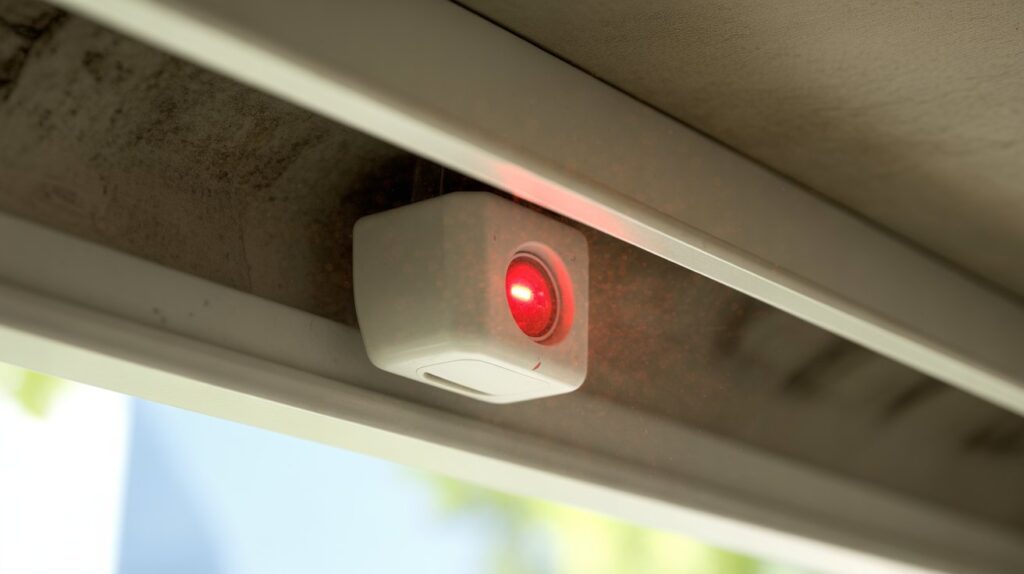
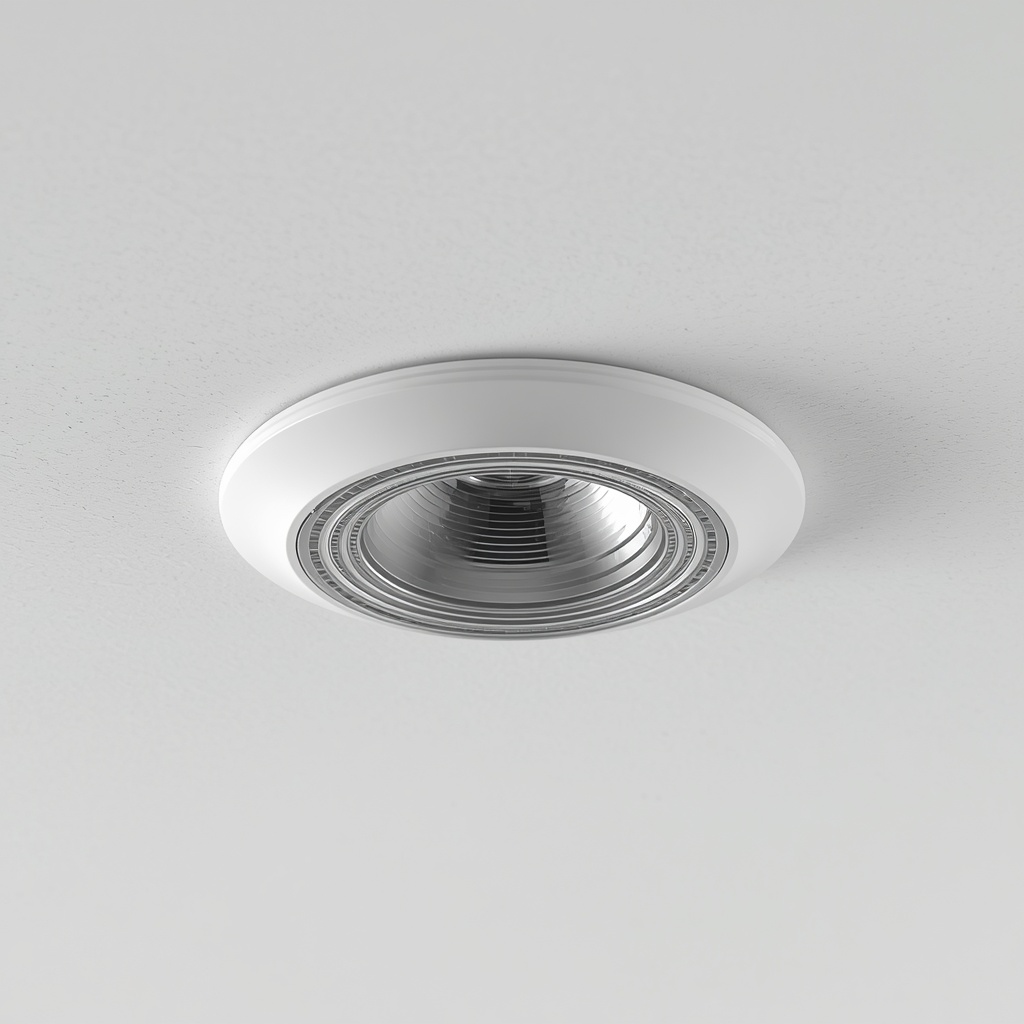
Passive Infrared (PIR) ceiling sensors detect movement by measuring changes in ambient thermal radiation within a room. When a person or pet walks beneath the fixture, their body heat alters the infrared energy field, instantly triggering the unit to turn the light on.
At the core of this technology is a pyroelectric sensor paired with a multi-zoned Fresnel lens. Think of it like an invisible grid covering your living room floor; as someone steps from one detection zone into another, the sudden shift in temperature between zones creates the electrical signal needed to switch the circuit. Without this temperature differential, the sensor remains dormant, maintaining energy efficiency in residential spaces across the United States.
- Infrared detection range: Typically covers a 360-degree radius beneath standard 8-to-10-foot ceilings.
- Ambient light threshold settings: Prevents the light from triggering during daylight hours when natural illumination is already sufficient.
- Passive operation: The sensor only receives infrared waves emitted by objects; it does not emit any signal of its own.
Understanding how a passive infrared sensor mechanism works is essential if you ever need to troubleshoot why your ceiling fixture is cycling unexpectedly or if you are planning an upgrade to a smart indoor lighting control setup. Proper sensor calibration during initial installation prevents false triggers caused by HVAC vents or shifting shadows, ensuring your automatic lighting operates reliably year-round.
Essential Safety Precautions Before Accessing Light Fixture Wiring
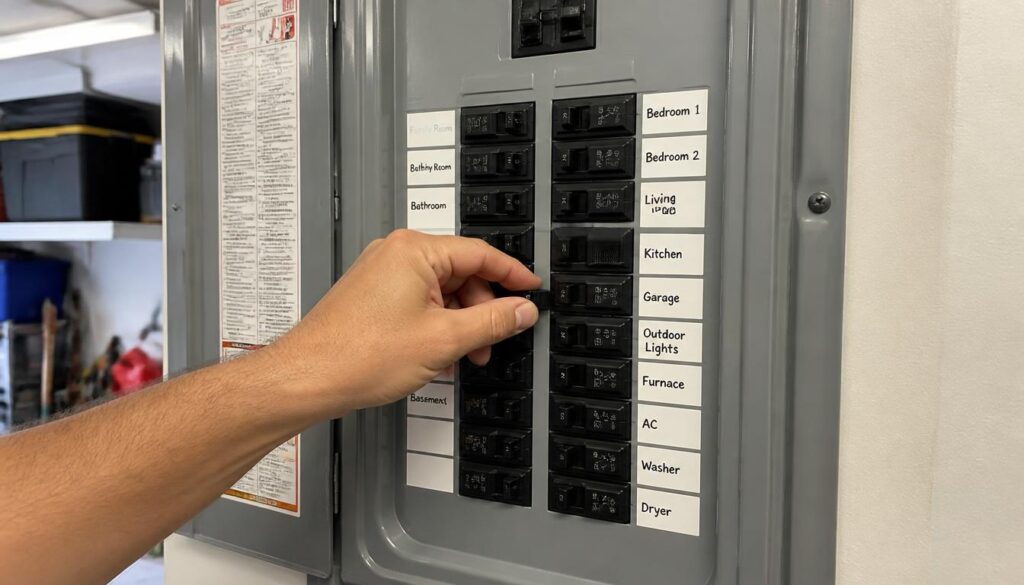
Before touching any wires or removing a light fixture casing, you must always shut off the power at your main electrical breaker box and verify the circuit is dead with a non-contact voltage tester. Skipping this step risks severe electrical shock or accidental short circuits during basic home repairs.
Verifying Power Loss at the Breaker Box
Working on live electrical components is one of the leading causes of preventable household injuries. For example, flipping a standard wall switch off does not always guarantee the fixture is completely isolated, as some improperly wired circuits may still carry live current to the lamp socket.
- Turn off the main breaker: Locate your home electrical panel, switch off the specific circuit breaker controlling the room, and secure a lockout tag if others share the household.
- Test with a multimeter: Touch the tester probes directly to the fixture wiring terminal blocks to confirm zero voltage before proceeding.
Ensuring absolute electrical safety during fixture repair protects you from unexpected surges and complies with standard U.S. National Electrical Code (NEC) guidelines. Once you have secured the area and completed your maintenance safely, you can also explore our detailed insights on PIR motion sensor light technology to understand how these circuits function internally, or check out our guide on hardwired ceiling fixture troubleshooting for resolving lingering connection issues without risking your safety.
How Manual Switch Override Modes Function in Motion Sensors
A manual switch override mode allows you to bypass automatic motion detection and force a security light to stay on permanently by performing a specific on-off-on toggle sequence at the wall switch. This built-in programming feature is what homeowners rely on when they need constant illumination for an outdoor evening event without the light shutting off every few minutes.
Understanding how to turn off a motion sensor light without switch access is often the primary goal, but knowing how to control that same fixture manually gives you complete mastery over your home’s exterior lighting. When you cycle your wall switch rapidly within a 1-to-2-second window, the internal relay interprets this command as an override signal rather than a normal power failure.
The Mechanics Behind the Switch Toggle
Today’s lighting units feature an onboard digital timer designed to detect short power breaks. If it detects a quick power reset, it locks the circuit closed so the lamp stays lit until dawn or until you manually revert it to sensor mode.
- Rapid toggling sequence: Flipping the wall switch off and back on within two seconds activates the permanent on mode.
- Resetting to auto: Turning the switch off for a full 30 seconds clears the override memory and restores standard motion-activated operation.
Mastering this feature prevents unnecessary confusion when your lights refuse to turn off after a brief power flicker. For further details on managing your home automation setup, you can check out our guide on outdoor lighting automation.
Step-by-Step Guide to Bypassing Built-In Motion Detectors
Bypassing a built-in motion detector involves physically disconnecting the sensor module’s internal wiring or safely interrupting power to convert an automatic fixture into a standard manual light. When a faulty sensor refuses to stop triggering your floodlights, hardwiring the circuit directly is the most permanent fix available.
Permanent Disconnection Procedure
To perform this bypass safely, you will need basic hand tools like a wire stripper, screwdriver, and electrical tape. For example, if you are working on an exterior wall pack or ceiling fixture, accessing the internal junction box allows you to isolate the sensor wires from the main power feed.
- Cut the power supply: Ensure the circuit breaker is completely shut off before unscrewing the fixture housing.
- Isolate sensor leads: Disconnect the red or blue sensor wire running from the motion module, leaving the black live wire connected directly to the lamp ballast or bulb socket.
- Cap exposed terminals: Secure any loose wire ends with UL-listed wire nuts and electrical tape to prevent short circuits.
Executing this bypass method gives you total control over your fixtures without needing a wall switch. If you are also dealing with outdoor floodlights that trigger falsely due to weather conditions, you can review our insights on security light flickering causes to ensure your entire property’s electrical setup remains stable and efficient.
Step-by-Step Guide to Resetting Stuck Security Light Relays
Resetting a stuck security light relay requires cutting power to the fixture for a full 30 to 60 seconds to completely discharge its internal capacitors and clear the locked circuit. When an exterior floodlight stays lit all night regardless of movement, a power reset usually fixes the frozen relay without needing any wiring changes.
Clearing the Internal Circuit Memory
Electrical surges or minor grid fluctuations can cause the sensor’s microchip relay to freeze in the closed position, treating the “on” state as permanent. For instance, after a severe summer thunderstorm, homeowners often find their security lights refusing to shut off because the sudden voltage spike locked the internal switch mechanism.
- Turn off the breaker: Locate your main electrical panel and switch off the circuit breaker dedicated to the outdoor lighting.
- Wait for full discharge: Leave the power completely disconnected for a minimum of 45 seconds so the onboard capacitors drain fully.
- Restore and initialize: Flip the breaker back on and let the fixture run through its initial 30-second calibration cycle without triggering the sensor.
Performing this routine maintenance is the fastest way to resolve an unresponsive unit. If your lighting system continues to behave erratically after a proper reset, you might want to look into PIR sensor calibration techniques to fine-tune your detection thresholds and prevent future relay lockups.
Hardware Modifications for Permanent Manual Motion Light Control
Making hardware modifications for permanent manual motion light control involves swapping out standard toggle switches for specialized override switches or physically bypassing the PIR sensor module inside the fixture. When you want an outdoor floodlight to stay on indefinitely during evening gatherings without relying on tricky switch-cycling sequences, upgrading your hardware provides a permanent fix.
Upgrading Wall Switches and Internal Wiring
Many homeowners grow frustrated when rapid switch toggling fails to lock their lights on. For example, installing a dual-function control switch or rewiring the junction box lets you separate the motion detection circuit from a standard manual power line.
- Install a push-button switch: Replace your old toggle switch with a dedicated unit that clearly indicates manual override modes.
- Rewire the fixture housing: Route the incoming hot wire directly to the lamp socket terminal, completely omitting the sensor relay from the pathway.
Applying these physical changes ensures absolute control over your lighting setup. If you are upgrading your property’s exterior fixtures, you can also explore our comprehensive guide on the LED flood light installation guide to ensure proper wiring standards and maximum energy efficiency.
Troubleshooting Common Issues After Disabling Sensor Modules
Troubleshooting common issues after disabling sensor modules involves checking internal wiring connections, securing loose terminal caps, and verifying continuous power flow to the lamp sockets. When a modified fixture fails to turn on or flickers unexpectedly after you disconnect a faulty motion detector, a quick diagnostic check prevents electrical hazards.
Resolving Post-Modification Power and Wiring Faults
When you hardwire a light fixture to bypass an automatic sensor, even a minor wiring mistake can disrupt the circuit. For example, if a wire nut slips off inside the junction box due to vibration from wind or closing doors, the bulb will lose contact and stay dark.
- Check terminal connections: Ensure all stripped copper wires are tightly twisted and secured inside UL-listed wire connectors.
- Check for active voltage: Place your meter probes directly into the socket connection once the casing is fully reattached.
Careful testing ensures your modified setup remains safe and fully functional. Correcting these minor installation hurdles guarantees that your manual lighting control operates smoothly without unexpected electrical failures.
Preventing Accidental Mode Changes on Household Light Switches
Preventing accidental mode changes on household light switches requires installing physical switch guards or using clear labeling to stop family members from unknowingly toggling your motion-activated fixtures into manual override. When children or guests repeatedly flip standard wall switches up and down, they accidentally lock security lights into an unwanted permanent-on state.
Securing Wall Controls Against Unintended Toggling
Household lighting controls are frequently misused simply because standard toggle plates look identical. For instance, in a busy suburban hallway with four matching switches controlling outdoor floods, indoor hallways, and porch lights, it is remarkably easy to disrupt your lighting automation settings by mistake.
- Install clear switch guards: Snap a transparent plastic guard over the existing toggle switch so it can still be operated intentionally when needed.
- Apply distinct identification markers: Place a small label on the wallplate to remind everyone which switch manages the motion sensor circuit.
Taking these simple preventative measures keeps your lighting schedules running smoothly without constant manual resets. To deepen your understanding of how residential circuits and automated controls interact safely across the home, you can explore detailed technical guidelines on the National Electrical Contractors Association portal for industry best practices.
Best Practices for Setting Motion Sensor Sensitivity and Duration
Setting motion sensor sensitivity and duration properly involves adjusting the physical dials on your fixture to prevent false triggers from passing cars or blowing tree branches while ensuring adequate illumination time. When a security light activates continuously throughout the night or turns off too quickly while you are walking up the driveway, fine-tuning these settings solves the problem.
Calibrating Detection Range and Time Delays
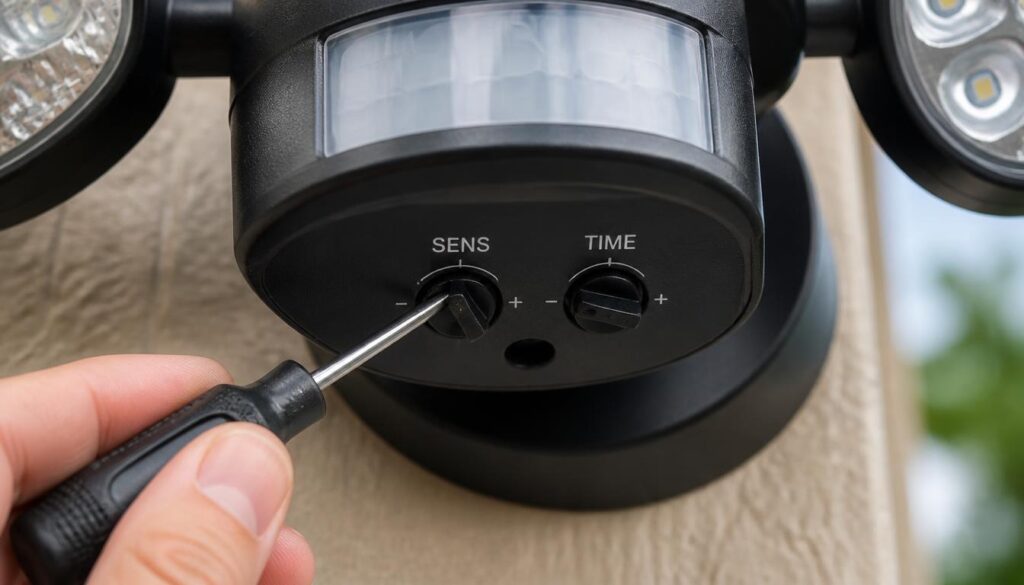
Most exterior fixtures feature small rotary dials labeled “TIME” and “SENS” located underneath the sensor lens. For example, setting the timer to 60 seconds provides enough light for safely entering your home without wasting electricity, while reducing sensitivity stops neighborhood cats or distant street traffic from triggering false alarms.
- Adjusting time duration: Set the shut-off timer between 1 to 3 minutes for high-traffic pathways to balance convenience and energy efficiency.
- Tuning sensitivity levels: Start at a medium range and test the field of view by walking across the detection zone to find the optimal threshold.
Proper calibration keeps your system running efficiently and saves you from needing to figure out how to turn off a motion sensor light without switch access due to constant unwanted triggering. Fine-tuning these parameters ensures your residential security lighting setup operates smoothly and reliably day after day.
Alternative Ways to Control Indoor Lighting Without Removing Sensors
Alternative ways to control indoor lighting without removing sensors include using smart wall plugs, programmable dimmer switches, or adhesive sensor covers that manage illumination without altering fixture wiring. When you want to bypass automated detection inside a room without tearing into the ceiling or wall junction box, non-invasive control methods offer a practical solution.
Managing interior spaces efficiently often requires adapting how current flows to your lamps. For example, if a pantry ceiling sensor keeps turning off while you are organizing shelves, blocking part of the Fresnel lens or integrating a smart plug lets you override the system seamlessly.
- Smart plug integration: Plug your lighting fixture into a wireless smart outlet to manage schedules and power states directly from a smartphone app.
- Adhesive lens blocking strips: Apply small opaque stickers over specific segments of the motion detector window to narrow its field of view and prevent unwanted triggers.
- Programmable timer switches: Install a digital wall timer that allows you to switch between automatic occupancy modes and continuous manual lighting effortlessly.
Utilizing these clever alternatives helps you master how to turn off a motion sensor light without switch complications or complex rewiring. For more ways to optimize your home automation and lighting layout, you can check out our guide on indoor lighting control methods.
FAQs
How to manually turn off motion sensor lights?
You can manually turn off a motion sensor light by toggling its switch off, cutting power at the main circuit breaker for 30 seconds to perform a hard reset, or disconnecting the sensor module’s internal hot wire to operate the fixture manually.
How to trick a motion sensor light to stay off?
To keep a motion sensor light off permanently, cover the sensor lens with black electrical tape or an opaque plastic cap to block infrared detection, or install a physical switch guard over the wall control to prevent unintended power flow.
How do you manually override a motion sensor light?
To activate the manual override, flip your wall light switch off and back on within 1 to 2 seconds. This rapid toggle signals the internal relay to bypass motion detection and lock the light into continuous operation until reset.
How do I block a motion sensor?
You can physically block a motion sensor by placing electrical tape, thermal insulation tape, or a dark adhesive cover directly over the Fresnel lens. This stops the PIR sensor from detecting ambient infrared changes in its field of view.
How to deactivate motion sensors?
Deactivate a motion sensor by turning off the power supply, unwiring the sensor’s load wire, and connecting the main supply line directly to the lamp fixture. Alternatively, set the sensor’s sensitivity dial to minimum or apply a lens cover.
How do I stop a sensor light from turning on at night?
Turn off the power switch, set the LUX dial on the sensor housing to minimum daylight mode, or apply physical masking tape over the sensor window so ambient movement no longer triggers the circuit after dark.
Why does my motion sensor light stay on all night?
Security lights typically remain lit all night due to four common reasons: an activated manual override toggle, an overly sensitive detection range, a dirty lens, or an internal circuit lockup triggered by a recent power fluctuation.
About the Author: M. Bilal
Criminologist & Home Security Specialist
M. Bilal is a certified Criminologist and practical Home Security Specialist dedicated to helping homeowners protect their property and optimize modern residential lighting systems. Drawing on his academic background in crime prevention and hands-on experience with physical perimeter security, Bilal provides expert, actionable guidance on security light calibration, sensor troubleshooting, and residential threat reduction. Every guide he publishes on CrimTechHub is thoroughly researched and tailored to ensure your home remains safe, efficient, and fully functional.