Introduction
A smart lock that suddenly stops responding can be frustrating, especially when you need to enter or secure your home quickly. In many cases, the problem is simply a low or depleted battery rather than a faulty lock.
Knowing how to perform a Kwikset smart lock battery change can help restore normal operation and reduce the chance of unexpected lockouts. In this guide, you’ll learn how to replace the batteries, what to check if the lock still does not respond, and how to maintain reliable operation over time.
Table of Contents
Why Your Kwikset Smart Lock Suddenly Stops Working
When a smart lock suddenly stops responding, the problem is often related to its power supply rather than a major hardware failure. Low or depleted batteries can cause delayed keypad responses, failed electronic unlocking, or problems with connected features.
Understanding the importance of a timely Kwikset smart lock battery change can help reduce unexpected lockouts. Like other battery-powered security devices, smart locks need regular battery checks to maintain normal operation. For comparison, magnetic door sensors also rely on battery power and require routine maintenance to keep monitoring entry points properly.
Common signs of a weak smart lock battery include:
- Keypad responds slowly or does not respond
- Electronic unlocking stops working
- A low-battery warning appears
- App-connected features become unavailable
- The lock works intermittently
If replacing the batteries does not solve the problem, check the lock’s installation, keypad, connectivity, and manufacturer troubleshooting instructions. Regular battery checks can help identify power-related problems before they result in an unexpected lockout.
Replacing depleted batteries is a simple maintenance step that can help keep your smart lock operating as intended.
How to Know It’s Time to Replace Your Kwikset Smart Lock Batteries
Most smart locks provide warning signs before their batteries are completely depleted. Recognizing these signals early can help prevent unexpected lockouts and keep the lock operating normally.
Common Signs of a Low Battery
- Delayed response or slow unlocking
If the keypad takes longer than usual to respond or the lock reacts slowly, the batteries may be running low. - Beeping sounds or flashing lights
Depending on the Kwikset model, repeated beeps or flashing indicators may signal a low battery level. Check your specific model’s instructions to confirm what the alert means. - Low-battery notifications
Smart-enabled models may send a notification through the connected app when the battery level becomes low. Replacing the batteries after receiving an alert can help prevent the lock from becoming unresponsive. - Intermittent operation
If the lock works sometimes but fails to respond at other times, weak batteries can be one possible cause. Other issues, such as connectivity or installation problems, should also be considered.
Ignoring repeated battery warnings can eventually result in the lock becoming unresponsive. Replacing the batteries when they are low is a simple maintenance step that can help keep your smart lock available when you need it.
For the correct battery type and replacement procedure, always follow the instructions provided for your specific Kwikset model.
Step-by-Step Kwikset Smart Lock Battery Replacement
Replacing the batteries in a Kwikset smart lock is usually a straightforward maintenance task. The exact battery type and removal process can vary by model, so always check the instructions for your specific lock before starting. Kwikset’s official battery replacement support guide provides model-specific instructions for several electronic locks.
What You’ll Need Before You Start
Before replacing the batteries, prepare:
- The correct batteries: Check your lock’s manual or support documentation for the required battery type. Several Kwikset smart locks use AA alkaline batteries, but the exact requirement depends on the model.
- A few minutes: Work without rushing so you can install the batteries correctly and test the lock afterward.
Easy Steps to Replace the Batteries
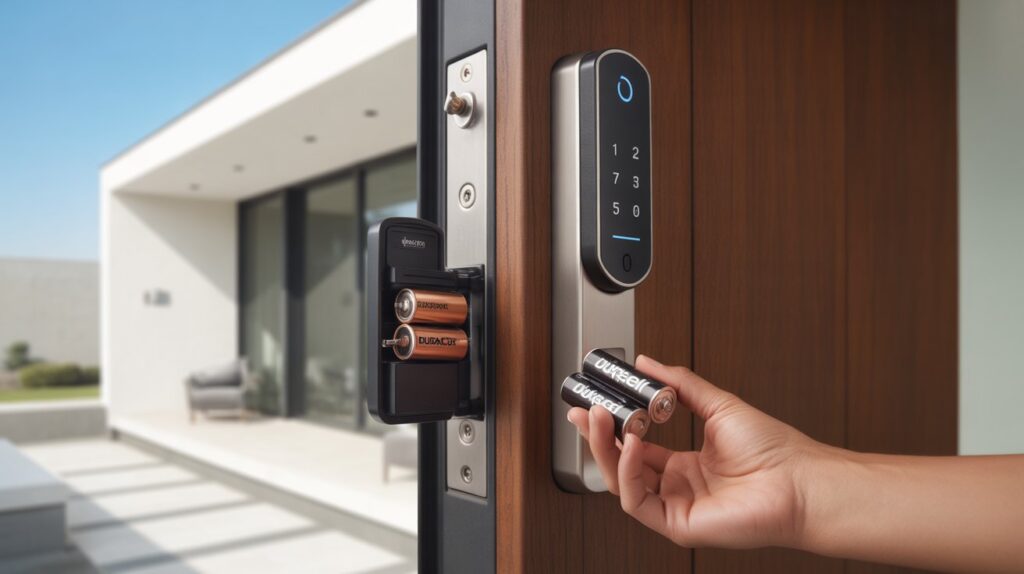
1. Remove the interior cover
Open or slide off the interior cover on the inside of the door to access the battery compartment. Some models may require screws to be removed first.
2. Remove the battery pack
Depending on the model, slide or pull the battery pack from the lock and remove the depleted batteries.
3. Install the new batteries
Insert the replacement batteries according to the positive and negative markings. Make sure they are seated correctly before reinstalling the battery pack.
4. Reinstall the cover
Place the battery pack back into position and secure the interior cover.
5. Test the lock
With the door open, test the keypad, lock, and unlock functions. This helps confirm that the new batteries are installed correctly before normal use.
If the lock still responds slowly or does not operate after replacing the batteries, check the battery installation, door alignment, and model-specific troubleshooting instructions. Kwikset notes that door misalignment can increase resistance during locking and unlocking and may contribute to faster battery drain.
Following the correct replacement procedure and using the battery type specified for your model can help maintain normal smart lock operation.
Common Mistakes to Avoid When Replacing Smart Lock Batteries
Replacing smart lock batteries is usually simple, but a few common mistakes can cause poor performance or unnecessary battery drain. Avoid these issues to help your Kwikset lock operate properly after a battery replacement.
Using the Wrong Battery Type
Always check your specific lock model for the recommended battery type. Using batteries that do not meet the manufacturer’s requirements may affect lock performance or battery life.
Mixing Old and New Batteries
Avoid combining partially used batteries with new ones. Different battery levels can result in inconsistent power and may cause the lock to respond unpredictably.
Installing Batteries Incorrectly
Check the positive and negative markings inside the battery compartment before inserting the batteries. Incorrect polarity can prevent the electronic lock from powering on.
Skipping the Lock Test
After installing fresh batteries, test the keypad and locking mechanism while the door is open. This gives you an opportunity to confirm that the lock responds correctly before relying on it during normal use.
Ignoring Battery Compartment Issues
While replacing the batteries, check for visible corrosion, damaged contacts, or loose connections. If you notice a problem, follow the manufacturer’s troubleshooting instructions rather than forcing the components.
Taking a few extra minutes to check the battery type, installation, and lock operation can help prevent avoidable smart lock problems and maintain consistent electronic access.
How to Extend Battery Life in Your Kwikset Smart Lock
No one wants a smart lock to stop responding when they need it. A few simple maintenance habits can help reduce unnecessary battery drain and keep your electronic lock operating normally for longer.
Use the Recommended Batteries
Always use the battery type specified for your particular Kwikset model. Follow the manufacturer’s instructions rather than assuming every smart lock requires the same batteries. Using the correct batteries can help maintain consistent power and normal lock operation.
Limit Unnecessary Remote Access
Smart features such as Wi-Fi or app-based control can affect battery consumption, depending on the lock model and how the system is configured. Use remote features when needed and check your lock’s settings for options that may reduce unnecessary power use.
Keep the Lock and Connected System Updated
If your model supports firmware updates, check for available updates through the manufacturer’s recommended app or support system. Keeping compatible smart-home devices updated can help maintain normal connectivity and operation.
For homeowners using connected entry sensors, our guide to Z-Wave door sensors explains how smart sensors can monitor doors and connect with compatible home automation systems.
Check the Battery Level Regularly
Do not wait until the lock becomes unresponsive. If your model provides a low-battery warning or app notification, replace the batteries according to the manufacturer’s instructions when the warning appears.
Simple maintenance, correct battery installation, and regular checks can help reduce unexpected power-related problems and keep your smart lock ready for everyday use.
Final Thoughts
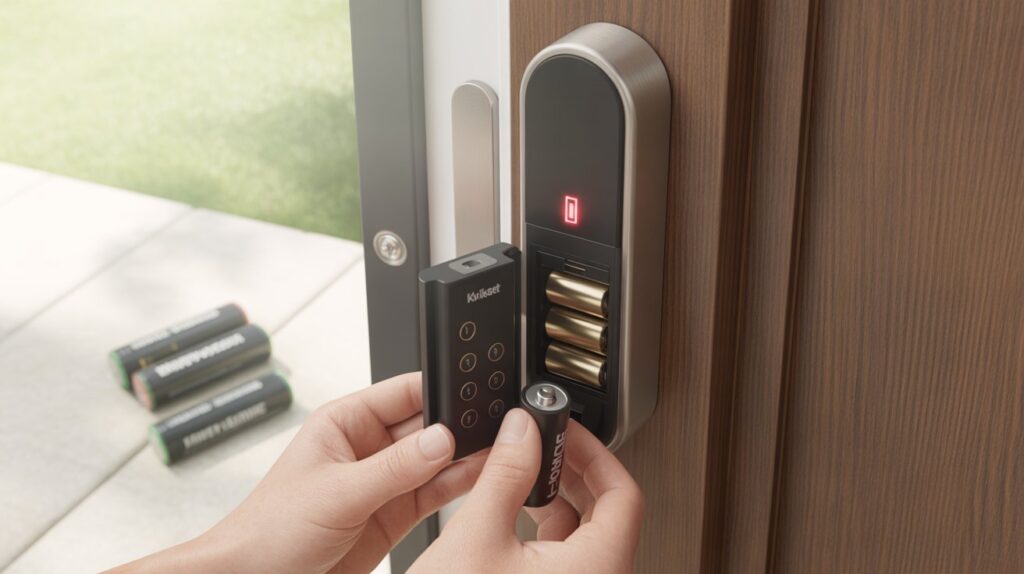
Regular battery maintenance is an important part of keeping a Kwikset smart lock operating properly. Recognizing low-battery warnings, using the correct batteries, and testing the lock after replacement can help reduce unexpected access problems.
A few simple habits can also help maintain consistent performance. Check the battery level periodically, follow the instructions for your specific lock model, and replace depleted batteries before the lock becomes unresponsive.
Smart lock maintenance may be a small task, but staying ahead of battery problems can make everyday home access more convenient and dependable.
FAQs
How do I change the batteries in my Kwikset lock?
Open the interior cover, remove the old AA batteries, insert new ones correctly, then close the cover and test the lock.
How to reset Kwikset lock after changing batteries?
Most models reset automatically after battery replacement. If needed, press the reset button or follow your model’s reset instructions.
How long do batteries last in a Kwikset smart lock?
Typically, Kwikset smart lock batteries last around 6 months to 1 year depending on usage and connectivity.
How long do batteries last in a Kwikset smart lock?
Battery life is usually 6–12 months, but heavy usage or Wi-Fi connection can shorten it.
How to unlock a smart lock when the batteries are dead?
Use a physical key (if available) or connect a 9V battery to the emergency power terminals to temporarily unlock it.
About the Author
Muhammad Bilal Shahid is a criminology graduate and security-focused content writer at CrimTechHub. He researches smart locks, home security technology, and practical safety solutions to create clear, useful guides for homeowners. His content is based on product research, manufacturer guidance, and practical security information.