Introduction
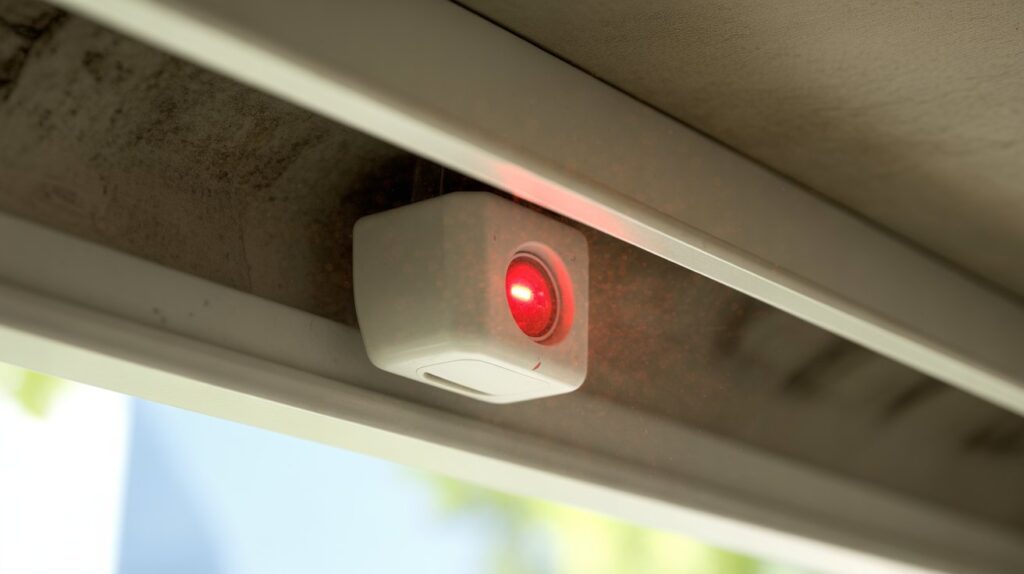
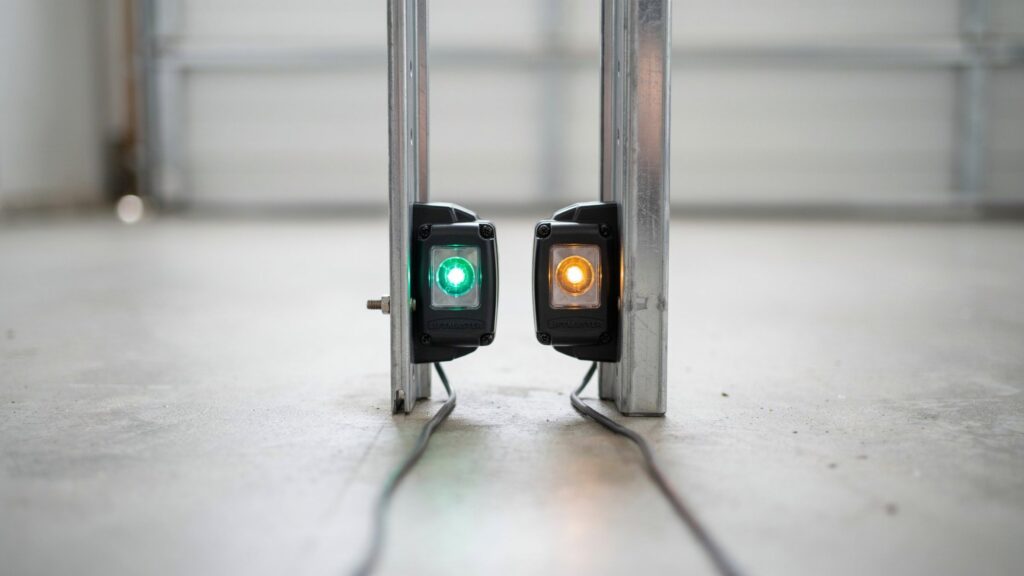
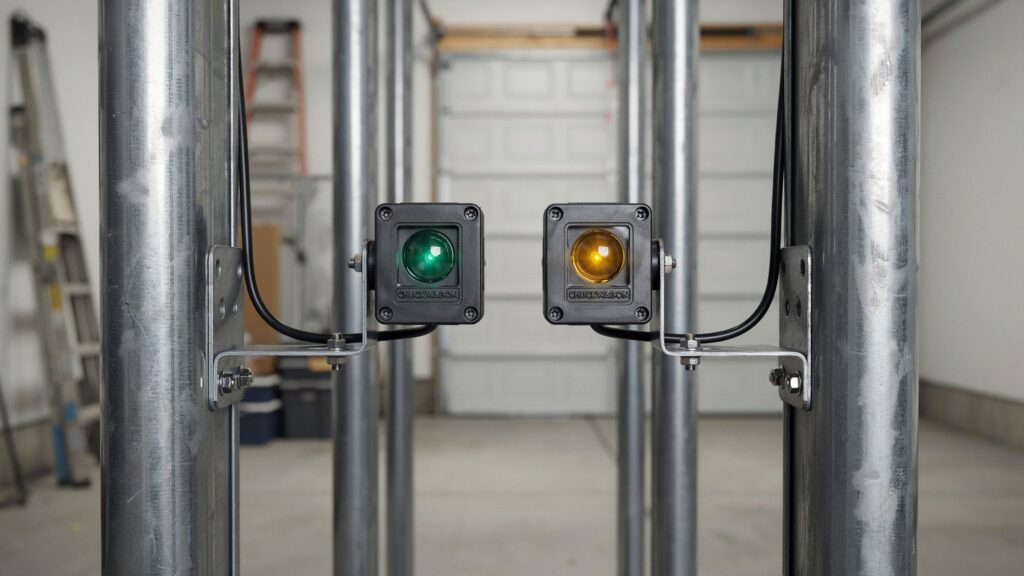
Should both garage door sensors be green? Usually, no. On most LiftMaster, Chamberlain, and Craftsman openers, only the receiving sensor shows a solid green light, while the sending sensor glows amber (yellow) or red. Some brands and older models light up both sensors in the same color, so check your opener’s manual to be sure.
What matters is that both lights are steady. If either light is blinking, dim, or completely off, the sensors are misaligned, blocked, or losing power, and your opener will refuse to close the door. That’s a built-in safety feature, not a glitch.
You press the button, the door starts closing, then stops halfway. You crouch down and see one sensor glowing and the other one flickering. This guide explains what each light means, when your setup is normal, and the exact steps to fix it.
Table of Contents
How Garage Door Safety Sensors Work
Most homeowners never think about their garage door safety sensors until the door refuses to close. These small photo-eye devices sit near the bottom of the door tracks, one on each side, facing each other. Together they project an invisible infrared beam across the opening, and the opener’s control board monitors that beam every time the door moves down.
The Sending Eye and the Receiving Eye
The system has two parts. The sending sensor (transmitter) emits a constant infrared signal. The receiving sensor watches for it. As long as the signal arrives, the opener knows the path is clear and lets the door close. Both units connect to the opener with low-voltage wiring, which supplies their power and carries the “clear” or “blocked” signal back to the logic board.
What Happens When the Beam Is Broken
If a child, pet, bike, or car bumper cuts the beam while the door is closing, the opener stops the door and reverses it. This auto-reverse function is a form of entrapment protection. Since January 1, 1993, residential openers sold in the US must include a secondary protection device, and photo-eye sensors are the most common choice. Sensors are typically mounted about 4 to 6 inches above the floor so they can detect low obstacles. They only work during closing. Opening the door doesn’t depend on them.
Why the Indicator Lights Matter
Each sensor has an LED that reports its status at a glance. A steady light means the unit has power and a clear signal. A blinking, dim, or dark light usually points to one of these problems:
- A misaligned sensor bracket
- Dirt, dust, or cobwebs on the lens
- Direct sunlight hitting the receiving eye
- A loose or damaged wire
- A failing sensor
Even a slight bump can pull the two eyes out of line and break the connection. If that’s your situation, follow our guide on how to align garage door sensors.
Knowing how this infrared safety system works makes it much easier to spot early warning signs, troubleshoot the opener, and keep your garage door running safely.
Should Both Garage Door Sensors Be Green?
Quick answer: Usually, no. On most LiftMaster, Chamberlain, and Craftsman openers, the sending sensor glows steady amber (yellow) and only the receiving sensor glows green. Some brands and older models light both eyes the same color. What matters most is that each LED is solid, not blinking, dim, or dark.
What Each Sensor Light Should Look Like
| Sensor | Typical LED color | Normal behavior | What it tells you |
|---|---|---|---|
| Sending eye (transmitter) | Amber, yellow, or red | Steady on | It has power and is emitting the infrared beam |
| Receiving eye (receiver) | Green | Steady on | It detects the beam, so the pair is aligned |
The sending eye usually stays lit even when the sensors are out of line, because it only reports that it has power. That’s why the receiving eye is the light to watch. It confirms the beam is actually arriving.
Mismatched Lights: When It’s Normal and When It Isn’t
- One amber, one green (both steady): Normal for most LiftMaster and Chamberlain-platform systems.
- Both green (both steady): Normal on some models. Confirm in your opener’s manual.
- Receiving eye blinking, dim, or off: Misalignment, an obstruction, sun glare, or a wiring fault. The opener will refuse to close the door.
- Sending eye dark: No power. Check the wire connections at the sensor and the opener’s terminals.
- Both eyes dark: Check the opener’s power supply, wiring, or whether the sensors have failed.
Why the Door Won’t Close When the Green Light Is Off
When the receiving eye loses the beam, the opener’s logic board assumes something is in the doorway. It blocks the close command or reverses the door. This is an entrapment protection feature, not a malfunction. A steady green light means the infrared path is clear, the sensors are communicating, and the door is safe to operate.
Quick Check Before You Troubleshoot
If the light is still blinking, move on to aligning the sensors.
Look at both LEDs and compare them with the table above.
Wipe each lens with a dry, soft cloth.
Make sure nothing is blocking the path, such as a toolbox, bag, or cobweb.
One Garage Door Sensor Green, the Other Not: What It Means
When one sensor is green and the other isn’t, the two sensors usually can’t see each other’s infrared beam. So, should both garage door sensors be green? Not always. A green receiving eye paired with a steady amber sending eye is normal on many openers. The real warning sign is a light that is blinking, dim, off, or a color your manual doesn’t list.
Match Your Lights to the Cause
| What you see | Most likely meaning | First thing to check |
|---|---|---|
| Sending eye amber (steady), receiving eye green (steady) | Normal on most LiftMaster and Chamberlain-type openers | Nothing to fix |
| Sending eye steady, receiving eye blinking | Beam is blocked or the eyes are out of line | Lens, obstruction, alignment |
| Sending eye steady, receiving eye off | Receiving eye has no power or has failed | Wire connections at the eye |
| Sending eye off, receiving eye green | Sending eye has lost power | Wire at the sending eye |
| Red light on one eye | Brand-specific signal on some models | Your opener manual |
| Both eyes dark | Power or wiring fault | Opener power, wire run |
Light colors differ by manufacturer and model, so confirm your pattern in the owner’s manual before replacing anything.
Amber or Yellow Light on the Sending Eye
A steady amber light means the sending eye has power and is emitting its infrared beam. It stays on even when the eyes are misaligned, so it only tells you about power, not alignment. If it blinks, look for a loose terminal, a pinched wire, or a failing sensor.
Red Light or No Light on an Eye
An off or unusual light on the receiving eye means the beam isn’t arriving. The opener then treats the doorway as blocked and won’t close the door. Common causes:
- Sensors pointing slightly away from each other
- Brackets mounted at different heights
- Dust, spider webs, or moisture on the lens
- Sunlight hitting the receiving lens
- Loose, cut, or corroded sensor wire
- A worn-out photo eye
How to Fix It, Step by Step
- Clear the path. Remove anything between the eyes and look for webs on the lenses.
- Clean both lenses with a dry microfiber cloth.
- Check the mounting. Both brackets should sit at the same height, tight on the track, and aimed straight across.
- Adjust the dark eye. Loosen its wing nut and nudge it until the light turns steady, then tighten.
- Block the sun. If the light flickers in the afternoon, shade the receiving eye with a short tube or sun shield.
- Unplug the opener, then inspect the wires. Check both terminals on the opener and at each eye. Look for staples, cuts, or rodent damage along the wire run.
- Swap the eyes’ positions or wires (as your manual allows) to find out whether the fault follows the sensor or the wire.
- Test the auto-reverse. Lay a 1½-inch board flat in the doorway and close the door. It should reverse on contact.
Many LiftMaster and Chamberlain models also flash a diagnostic pattern on the opener’s learn button or lights when the sensors fail. Your manual lists what each pattern means.
If the light still won’t hold steady after these checks, replace the sensor pair. Don’t tape over or disconnect the eyes to force the door shut, because that removes the opener’s entrapment protection. For related fixes, see garage door sensor with no lights, flashing red sensor, and what a yellow light means.
How to Fix a Garage Door Sensor That Won’t Turn Green
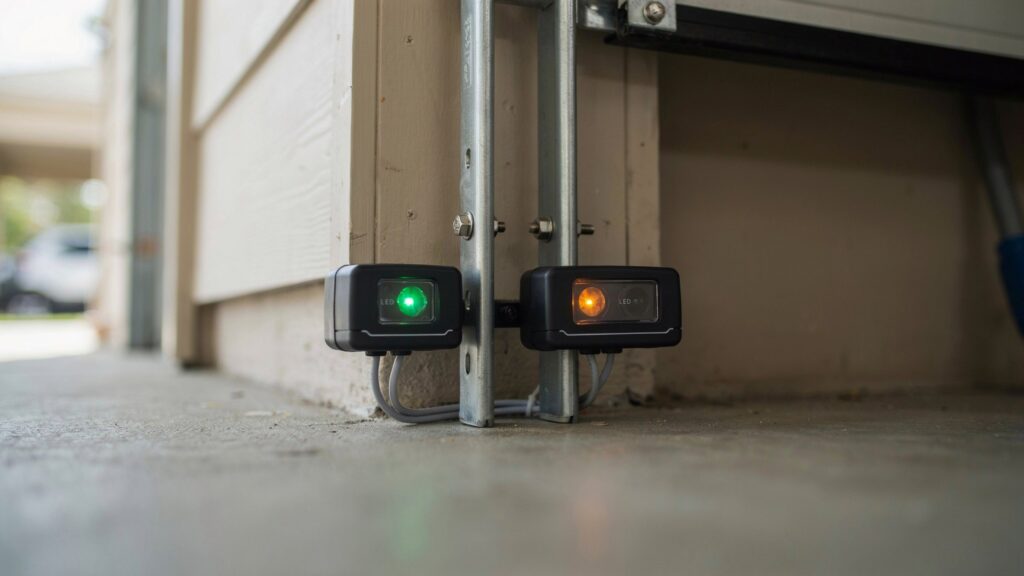
A sensor that stays dark or blinks doesn’t always need a replacement. Most of the time the cause is a small, fixable problem. In many openers, the green LED belongs to the receiving eye and means it is picking up the infrared beam. Colors and blink patterns differ by brand, so keep your owner’s manual nearby. Work through these steps in order, from easiest to hardest.
Before You Start
- Look at both LEDs and note which one is off, dim, or blinking.
- Check that the opener itself has power. Test the outlet and any GFCI button.
- Remove anything sitting in the doorway, such as bags, tools, or toys.
1. Realign the Sensors
Misalignment is the most common reason the light won’t turn steady.
- Check that both eyes face each other straight across the opening.
- Measure from the floor to each eye. Both should sit at the same height.
- Make sure each bracket is tight on the track and doesn’t wobble.
- Loosen the wing nut on the dark eye, move it a little at a time, and watch the LED.
- Stop when the light turns solid, then tighten the nut without bumping the eye.
2. Clean the Lenses
- Wipe each lens with a dry microfiber cloth. Use a barely damp cloth for stuck-on dirt.
- Look inside the lens tube for spider webs, insect nests, or dust.
- Check for fogging, scratches, or moisture on the lens, since damp garages can cloud it.
- Skip glass cleaner and harsh sprays, which can leave a film.
3. Block Sun Glare
Direct sun on the receiving lens can wash out the beam. This often shows up only at certain times of day.
- Note whether the light flickers only in the morning or late afternoon.
- Shade the receiving eye with a short cardboard or PVC tube, or a sun shield made for photo eyes.
- Make sure the shade doesn’t block the line of sight between the eyes.
- Look for shiny surfaces nearby, like a metal toolbox or a car bumper, that bounce light into the lens.
The Genie Company also explains how sunlight affects its safety beam and how to reduce it.
4. Inspect the Wiring
A weak wire connection can leave an eye with no power or a weak signal. Unplug the opener before touching any wire.
- Follow each wire from the eye to the opener and look for cuts, pinches, or staples driven too tight.
- Check for rodent chewing, corrosion, and old splices that have loosened.
- Confirm each wire sits fully under its terminal screw at the opener and at the eye.
- Re-strip a worn wire end and reconnect it.
- Run a short length of spare low-voltage wire to the eye as a test. If the light comes on, the old wire run is bad.
5. Restart the Opener
A power reset can clear a stuck error.
- Unplug the opener and wait about 30 seconds.
- Plug it back in and let it finish starting up.
- Check both LEDs again.
- Some openers also flash a diagnostic code on the control panel or learn button. Look that code up in your manual.
6. Replace the Sensor Pair
If the light stays dark after every step above, the eye itself may have failed.
- Replace both eyes as a matched pair of the same brand and series.
- Keep the old eyes until the new ones work, in case you need to compare wiring.
- Mount the new eyes at the same height and aim them across the opening.
Test the Door Afterward
- Run the door through a full close with the doorway clear.
- Lay a 1½-inch board flat on the floor in the doorway and close the door. It should reverse when it touches the board.
- Wave an object through the beam during closing to confirm the door stops and goes back up.
Never Bypass the Sensors
Taping over the eyes or disconnecting them to force the door shut removes the opener’s entrapment protection. That puts people and pets at risk and can create liability problems for you. If nothing on this list restores a steady light, call a garage door technician and let them check the wiring and the opener’s logic board.
When to Call a Garage Door Technician
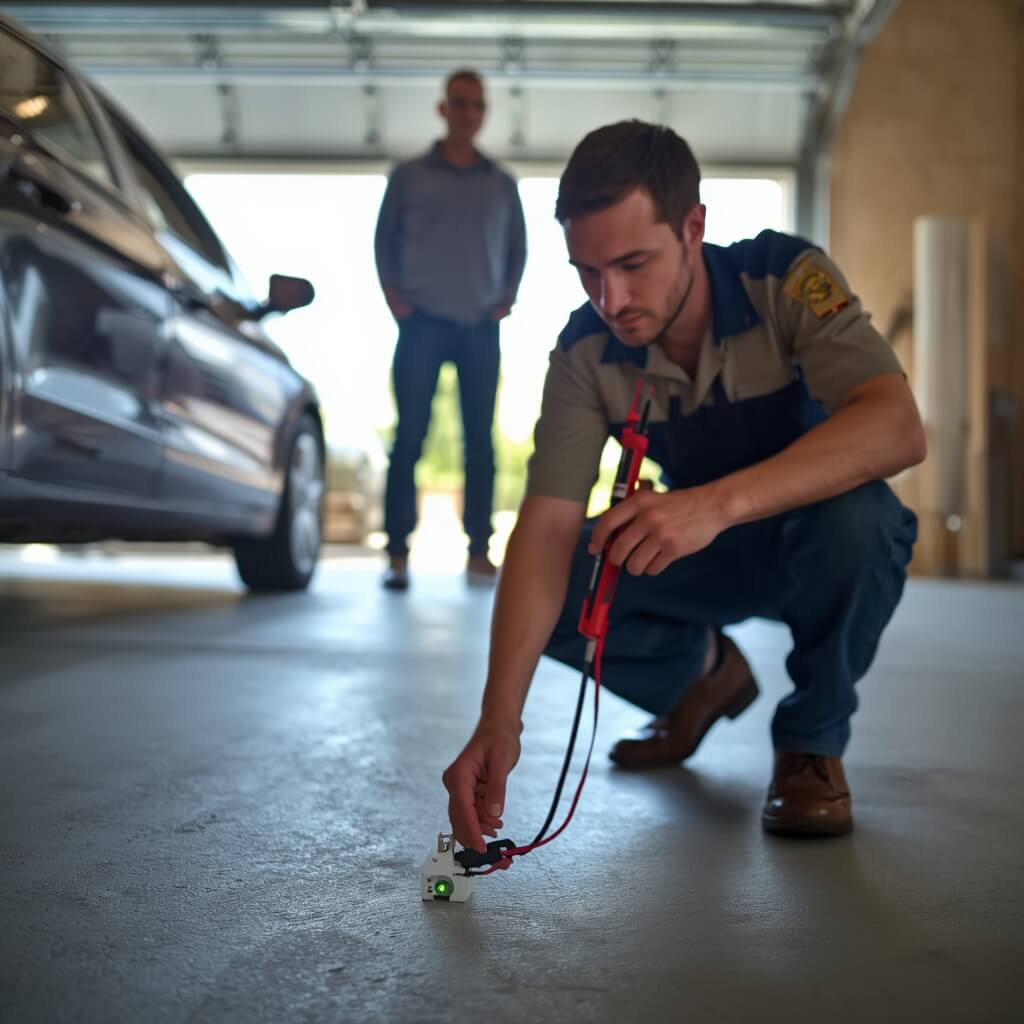
Most sensor problems are fixable at home. Some are not, and pushing further can damage the opener or create a safety risk. If you’ve followed the steps above and still wonder whether the lights are normal, or should both garage door sensors be green on your model, a technician can confirm the answer against your opener’s exact specs.
Signs the Problem Is Beyond DIY
- Both eyes are clean, aligned, and mounted at the same height, but the receiving light still blinks or won’t stay solid.
- The wire is frayed, burned, chewed, or crushed along the track.
- A sensor bracket is cracked, or the track where it mounts is bent.
- The door reverses on its own or refuses to close after a full power reset.
- The opener shows an error code or flashing pattern that won’t clear.
- Replacing the sensor pair didn’t change anything.
- You smell burning or see melted insulation near the opener or terminals.
- The opener hums, clicks, or trips a breaker when you press the button.
What These Signs Usually Point To
When the eyes test fine, the fault is often somewhere else in the system:
- Opener logic board: A failed board can stop reading the sensor signal even when the eyes work.
- Hidden wire damage: A break inside the wall or ceiling run won’t show on a visual check.
- Power supply issues: A weak transformer or a bad outlet circuit can starve the sensors.
- Door or track problems: A bent track, worn rollers, or an unbalanced door can trip the opener’s force sensing and mimic a sensor fault.
What a Technician Does
- Tests voltage at the sensor terminals with a multimeter.
- Traces the low-voltage wire from the opener to each eye and checks it for breaks and shorts.
- Reads the opener’s diagnostic code and checks it against the model’s service data.
- Tests the logic board and force settings.
- Replaces the sensor pair, wire, or board and re-tests the auto-reverse.
How to Choose the Right Technician
- Pick a licensed, insured company with verifiable local reviews.
- Ask whether they service your opener’s brand.
- Get a written estimate before work starts.
- Ask if the repair carries a labor and parts warranty.
- Be careful with anyone who suggests bypassing the sensors. That is not a repair.
What to Tell Them When You Call
- Your opener brand and model number, usually printed on the motor unit.
- Which LED is off, blinking, or a different color, and how long it has been that way.
- What you’ve already tried, such as cleaning, realigning, rewiring, or resetting.
- Any error code or flashing pattern on the opener.
- Whether the problem happens at certain times of day, which points to sun glare.
Stay Safe Until the Repair
- Don’t tape over or disconnect the sensors to close the door.
- Use the manual release and secure the door by hand if it won’t close.
- Keep children and pets away from the garage door while it’s faulty.
- Don’t use the wall button or remote to force the door down.
Cost Versus Risk
A service call usually costs far less than a damaged door, a hurt child, or a pet caught under a closing panel. Pricing depends on your area, the part needed, and the opener brand, so ask for an estimate first. Safety sensors have one job: stopping the door when something is in the way. When basic fixes fail, treat it as a priority repair.
Final Thoughts on Garage Door Sensor Lights
Garage door sensors are small, but they protect people, pets, and property every time the door closes. A steady light on each eye means the opener has power and a clear infrared beam. The colors can differ by brand, so match yours to the owner’s manual. What counts is that no light is blinking, dim, or dark.
If a light is off, start with the basics: wipe the sensor lenses, check that both eyes sit at the same height and face each other, and look for loose wire. Most faults end there. If the light still won’t hold steady, the wiring, opener, or sensor pair needs a technician. Never tape over or disconnect the eyes to get the door closed, because that removes the opener’s entrapment protection.
Take two minutes today to check both LEDs and test the auto-reverse with a board in the doorway. A quick check now can save you a stuck door later.
FAQs
Why is my garage door sensor blinking green?
A blinking green light means the receiving eye isn’t getting a steady infrared beam. The usual causes are misaligned eyes, a dirty lens, sun glare, or a loose wire. Clean both lenses first, then adjust the blinking eye until the light turns solid.
What does a yellow or amber light on a garage door sensor mean?
On most LiftMaster and Chamberlain-type openers, a steady amber light means the sending eye has power and is emitting the beam. It stays on even when the eyes are out of line, so it doesn’t prove alignment. See what a yellow light means for more.
Why does my garage door close only when I hold the wall button?
Many openers switch to a manual-hold mode when the safety beam is blocked or misaligned. The door closes only while you keep the button pressed, and the remote stops working. Fix the sensor fault instead of using this as a workaround, because the auto-reverse protection is off in this mode.
Can sunlight stop garage door sensors from working?
Yes. Strong sun hitting the receiving lens can wash out the infrared beam, so the light flickers at certain times of day. Shade the receiving eye with a short tube or sun shield, and keep it from blocking the line between the eyes.
Is it safe to bypass garage door sensors?
No. Bypassing the sensors removes the opener’s entrapment protection, so the door can close on a child, pet, or vehicle. It can also void your warranty and create liability if someone is hurt. Repair the fault or call a technician.
Do garage door sensors go bad?
Yes. Age, moisture, rodent damage, and repeated bumps can weaken or kill a sensor. If cleaning, realigning, and rewiring don’t bring back a steady light, replace both eyes as a matched pair. Read more in do garage door sensors go bad.
About the Author
Muhammad Bilal Shahid holds a BS in Criminology and writes about home security at CrimTechHub. His articles cover security cameras, garage door sensors, smart locks, motion sensor lights, and everyday crime prevention. He applies his criminology background to explain how security products work, where they fall short, and how homeowners can reduce common risks such as burglary and package theft.
Each guide at CrimTechHub is written to give clear, step-by-step answers and to point readers to manufacturer manuals and official safety standards when brand-specific details matter. For model-specific repairs, he recommends checking the owner’s manual or contacting a licensed technician.