Introduction
You’re standing at your front door juggling keys, groceries, and a phone buzzing with a delivery alert — and wondering if there’s a better way. A smart door lock camera fingerprint wifi setup solves exactly that, letting you see, unlock, and manage your entry point without the daily fumbling. Here’s how five of the top options actually compare.
Table of Contents
| Image | Product | Details | Price |
|---|---|---|---|
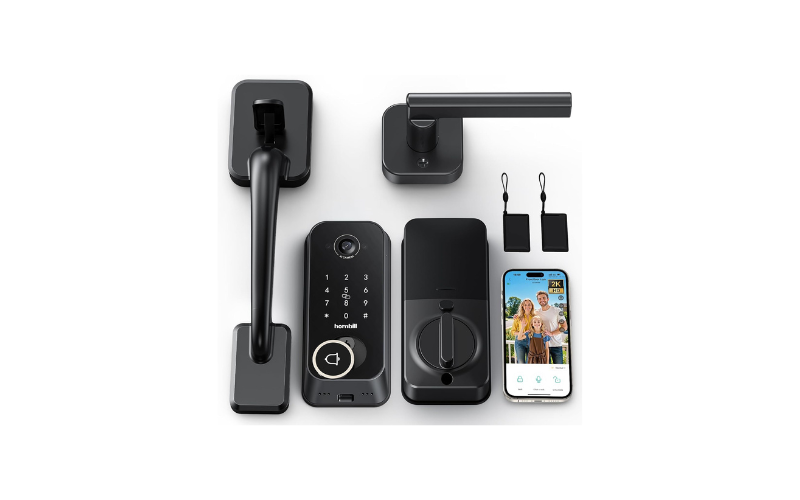
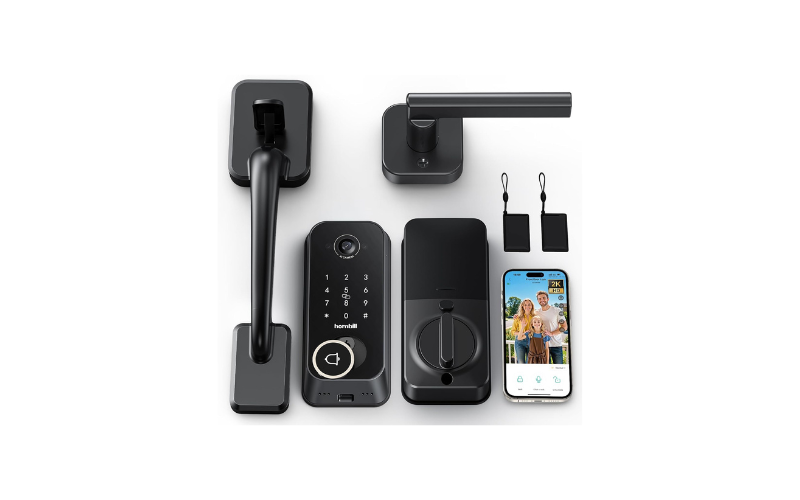 | Hornbill 2K Camera Smart Lock with Fingerprint & Doorbell | All-in-one keyless entry with built-in camera and doorbell, ideal for apartments or side doors needing full visitor visibility. | Check Price |
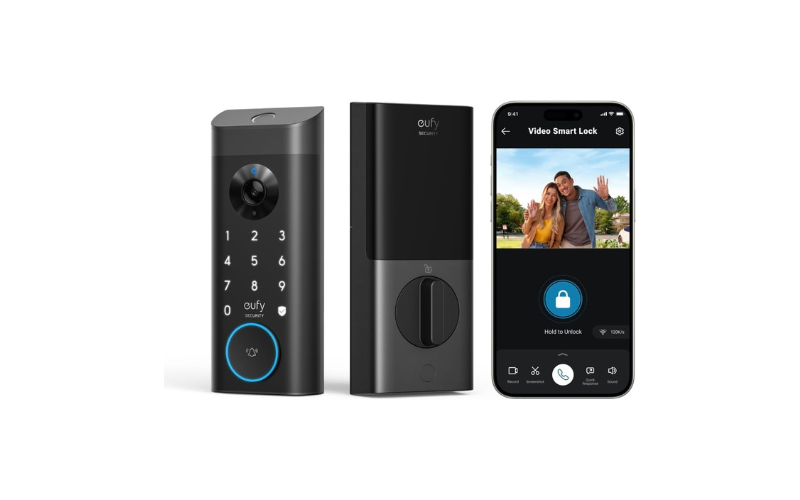 | eufy Security Video Smart Lock E330 | A no-drill, 15-minute install smart lock with camera and fingerprint entry, built for renters who need security without permanent door changes. | Check Price |
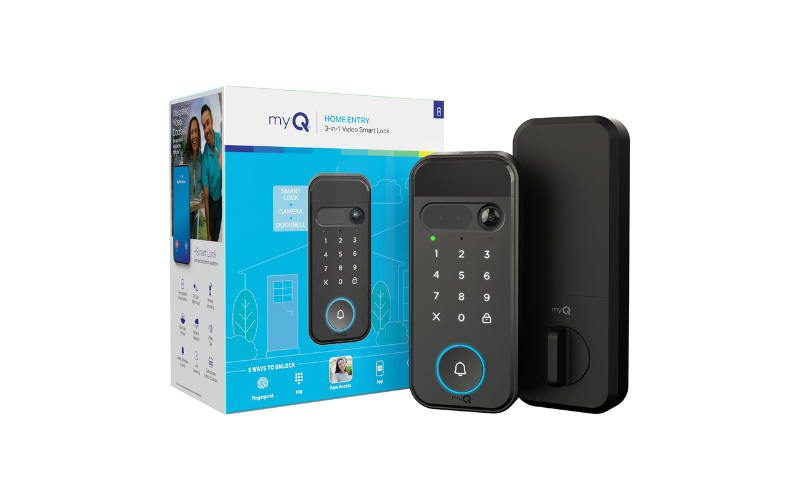 | myQ Secure View 3-in-1 Smart Lock | A face-recognition smart lock built for hands-free entry, ideal for parents and anyone who regularly arrives at the door with full hands. | Check Price |
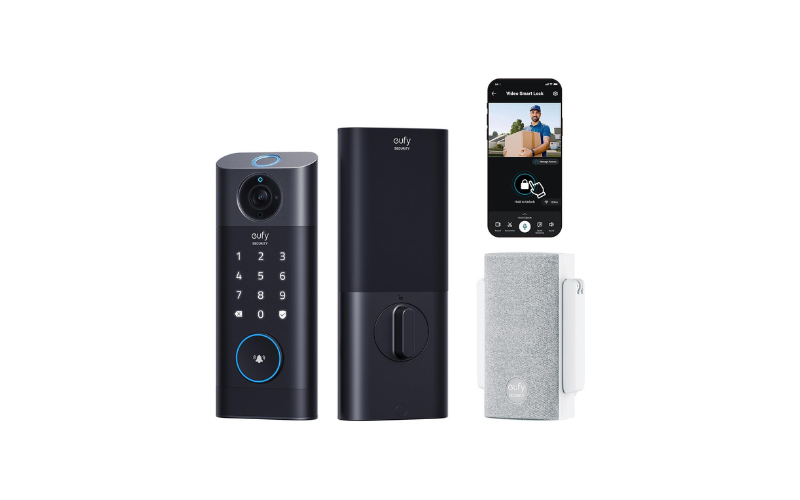 | eufy Security Video Smart Lock S330 | A BHMA-certified smart lock built to withstand extreme temperatures, suited for homes in harsh winter or summer climates needing durable, weatherproof entry. | Check Price |
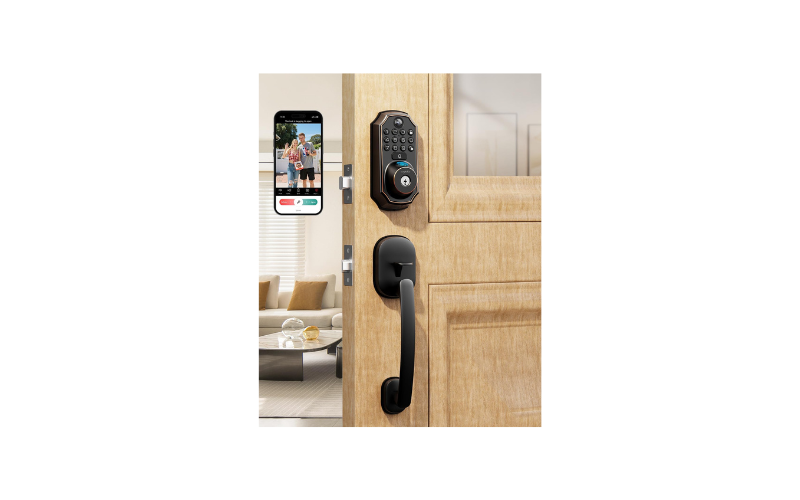 | ARPHA 5-in-1 Keyless Entry Deadbolt with Camera | A battery-powered smart lock with remote access and logs, built for Airbnb hosts and landlords managing guest or tenant entry from a distance. | Check Price |
Quick Verdicts
| Smart Door Lock | Best Suited For |
| Hornbill 2K Camera Smart Lock with Fingerprint | Apartments and side entrances needing an all-in-one keyless entry camera |
| eufy Security Video Smart Lock E330 | Renters wanting a no-drill smart deadbolt install |
| myQ Secure View 3-in-1 Smart Lock | Busy households needing hands-free Face Access entry |
| eufy Security Video Smart Lock S330 | Homes in extreme climates needing a BHMA-certified weatherproof lock |
| ARPHA Keyless Entry Deadbolt with Camera | Airbnb hosts and landlords managing remote guest access |
1: Hornbill Smart Lock with 2K Camera & Fingerprint
A smart door lock camera fingerprint wifi setup does more than lock your door — it lets you see who’s there before you even open it. The Hornbill packs a 2K camera, doorbell, and fingerprint reader into a single handle set — a practical choice for apartments or side entrances where mounting a separate video doorbell isn’t an option.
Key Features
- 160° 2K camera captures clear footage up to 5 meters away
- Built-in 2.4GHz WiFi — no smart home hub needed
- Two-way audio lets you talk to visitors through the app
- Dual batteries last about 120 days at 10 daily unlocks
- IP65 rated for rain and temperatures from -25°C to 70°C
- Fits standard US doors (35-55mm), works with existing pre-drilled holes
Pros
- All-in-one design cuts down on extra devices at the door
- Long battery stretch — about 120 days between charges
- Multiple entry options: fingerprint, keypad, app, and physical key
- Weatherproof build handles rain and wide temperature swings
Cons
- WiFi works on 2.4GHz only, so older or dual-band-only routers may need checking
- Bulkier handle set than a standard lock, less minimalist look
- No mention of 5GHz support, which some newer home networks have phased out
Why We Recommend It
For households wanting one unit to handle entry, visitor alerts, and recorded footage without extra wiring, the Hornbill removes a lot of setup hassle. The trade-off is a slightly bigger handle and 2.4GHz-only WiFi — a fair swap for fewer devices overall.
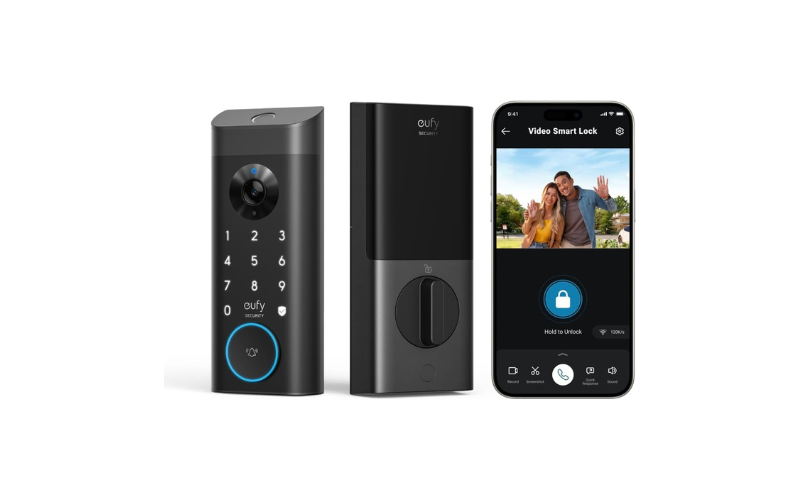
2: eufy Security Video Smart Lock E330
For renters who can’t drill new holes into a door, a smart door lock camera fingerprint wifi upgrade can feel out of reach — until you find one built for exactly that. The eufy E330 fits standard US deadbolt spacing and installs in about 15 minutes without any drilling, making it one of the easiest ways to add fingerprint entry and video monitoring to a rental unit without upsetting a landlord.
Key Features
- 2K HD camera with an f/1.6 lens keeps footage clear even after dark
- 10,000 mAh battery powers the lock, camera, and doorbell together, cutting down on frequent recharges
- Installs in about 15 minutes on standard deadbolt spacing, with no drilling required
- Five unlock methods — fingerprint, app, Alexa/Google voice, keypad, or key — covering different household members’ habits
- Remote app access lets you check the doorbell camera and manage the lock from anywhere
Pros
- No-drill installation makes it renter-friendly and easy to remove later
- Single large battery covers all three functions instead of separate battery compartments
- Five different unlock methods for flexibility across a household
Cons
- Push notifications with thumbnail previews require temporary cloud storage of images, which some privacy-conscious users may want to know upfront
- Bundled chime and Alexa integration cost extra on top of the base unit
Why We Recommend It
The E330’s real strength is how little it disrupts a door you may not own. The no-drill install and standard deadbolt fit mean it goes in and comes out without leaving damage, which matters more to renters than to homeowners — similar to what we cover in our guide to the best doorbell camera for apartments. The trade-off is that some of its smart features — voice control, chime — depend on add-ons, so the base unit is really about clean installation and reliable battery life rather than a fully loaded package out of the box.
3: myQ Secure View 3-in-1 Smart Lock
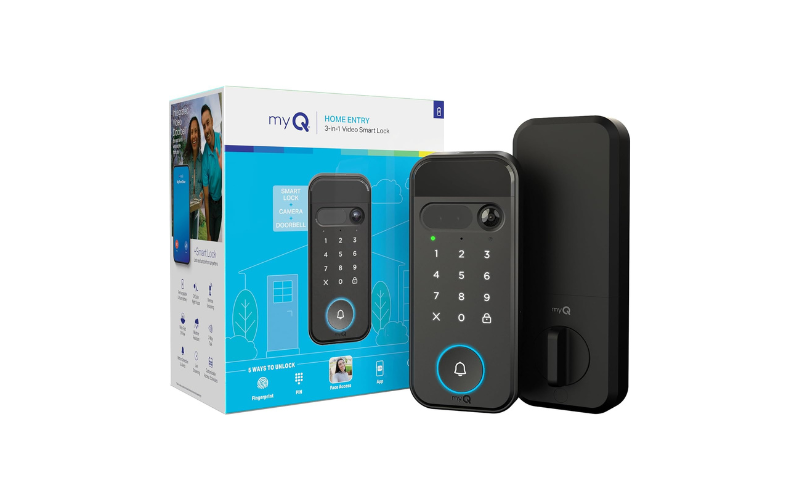
Fumbling for keys while your arms are full of groceries is exactly the moment a keyless entry door lock with a camera earns its keep. The myQ Secure View adds face recognition on top of fingerprint and PIN access, so busy parents and anyone juggling bags at the door can walk right in without touching a thing.
Key Features
- Face Access unlocks the door automatically on approach, no phone or key needed for hands-full moments — you can read more about how this face detection technology works
- 2K HDR camera with color night vision covers the doorway clearly even after dark
- Five entry methods — face, fingerprint, PIN, app, or key — give every family member a way in that suits them
- Rechargeable battery lasts 4–6 months, with a pop-out design for quick recharging instead of a full reinstall
- DIY installation uses standard tools, no specialty hardware required
Pros
- Face Access is genuinely useful for hands-full entry, not just a gimmick feature
- Long battery stretch of 4–6 months reduces maintenance
- Battery pops out for charging, avoiding a full lock teardown
Cons
- Advanced AI alerts (people, packages, vehicles) sit behind a myQ subscription, so the free tier is more limited
- Chime and spare battery are sold separately, adding to the real cost of a fully featured setup
Why We Recommend It
The myQ Secure View earns its place for households where hands are rarely free — parents carrying kids or groceries, anyone managing pets on a leash at the door. Face Access solves a real, specific friction point that fingerprint-only locks don’t address. The catch is that its smarter detection features are locked behind a subscription, so buyers should go in expecting the core hardware to shine while the extras cost more to unlock.
4: eufy Security Video Smart Lock S330
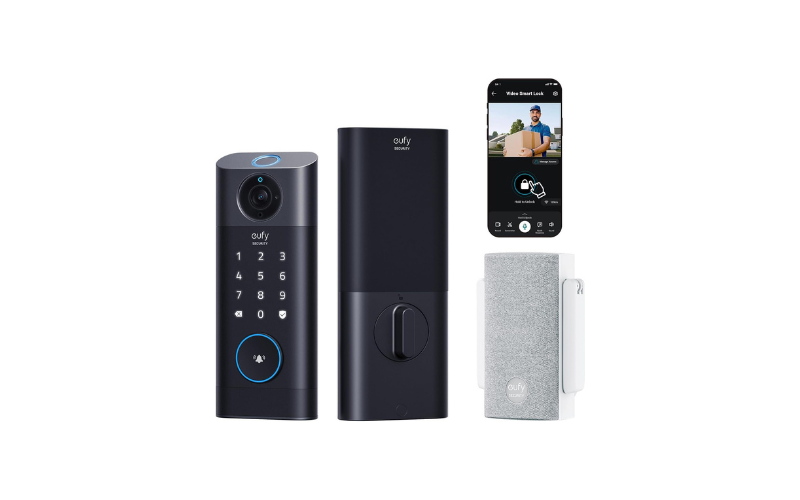
Extreme weather is where a smart door lock camera fingerprint wifi setup either proves itself or breaks down. The eufy S330 is built for that stress test — BHMA certified and rated to handle temperatures from -22°F to 158°F, making it a strong fit for homes in regions with harsh winters or scorching summers where cheaper locks tend to fail.
Key Features
- BHMA certification confirms the lock meets recognized hardware durability standards, not just marketing claims
- Operates reliably from -22°F to 158°F, covering both deep winter freezes and summer heat
- A 10,000 mAh battery paired with IP65 weatherproofing means it keeps performing through heavy rain and shifting temperatures without missing a beat.
- Included Chime supports microSD expansion up to 128GB, giving longer video storage without a subscription
- Installs in 15 minutes on standard US and Canadian deadbolt spacing, no drilling required
Pros
- BHMA certification gives a verifiable durability benchmark, not just a brand promise
- Wide temperature range suits homes in extreme climates
- Expandable storage via microSD reduces reliance on cloud subscriptions
Cons
- The added Chime and zinc-body construction make this bundle pricier than the standard camera-lock-only version
- microSD card isn’t included, so expandable storage requires a separate purchase before it’s usable
Why We Recommend It
The S330 stands out specifically for climates that punish outdoor hardware — homes that see real winters or extended heat waves, much like the weather demands we cover in our guide to outdoor cameras built for extreme conditions. The BHMA certification and wide operating range aren’t cosmetic specs; they’re the difference between a lock that survives a harsh season and one that doesn’t. The trade-off is a higher upfront cost and needing to buy a microSD card separately, which fits buyers prioritizing long-term durability over the cheapest entry point.
5: ARPHA Keyless Entry Deadbolt with Camera
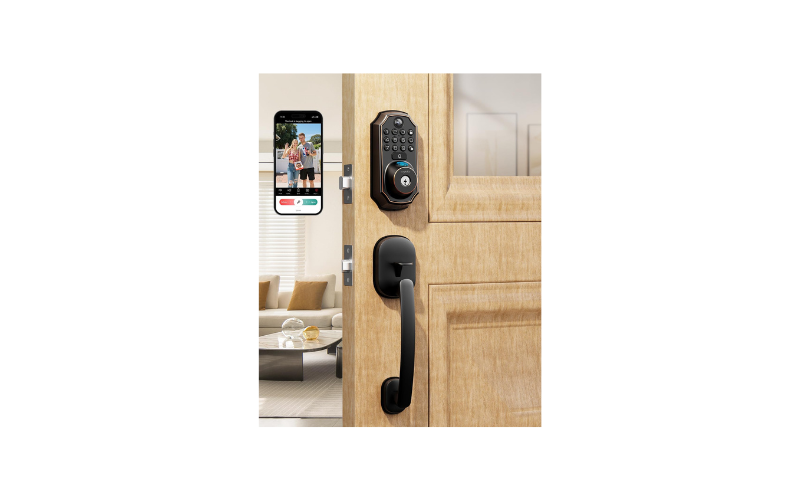
Hosting guests you can’t personally greet at the door is where a smart door lock camera fingerprint wifi solution earns real trust. The ARPHA’s remote unlock and live video feed make it a practical pick for Airbnb hosts and landlords who need to grant access to guests or tenants without handing over a physical key.
Key Features
- 150° camera with 4:3 HD video lets hosts check who’s arrived before granting entry, even from another city
- Live video feed and 2-way audio activate when the doorbell is pressed, so hosts can speak with guests in real time
- Access logs track entries, useful for keeping a record of check-ins across multiple guests — Airbnb’s own check-in method guidelines list smart locks as an approved self-check-in option for hosts
- Runs on 4x AA batteries lasting 6+ months, avoiding the recharge schedules some competitors need
- Auto-lock timer adjustable from 10 seconds to 30 minutes, fitting different check-in routines
Pros
- With access logs and remote unlock, hosts can manage guest or tenant entry without ever having to meet them face-to-face.
- Long battery life on standard AA batteries, no proprietary charging needed
- IP65 weatherproofing and wide temperature tolerance (-31°F to 158°F) for exposed entryways
Cons
- Only compatible with alkaline AA batteries — rechargeable batteries aren’t supported, which limits long-term cost savings
- Remote unlock and camera features require a doorbell press to activate WiFi, so it isn’t a fully always-on remote monitoring setup like some competitors
Why We Recommend It
The ARPHA fits a specific need that not every smart lock addresses well: giving access to people you’re not there to let in yourself. Access logs and 2-way audio make sense for short-term rental hosts managing turnover, while the AA-battery setup keeps maintenance simple. The trade-off is that the camera and remote unlock only activate on a doorbell press rather than running continuously, which matters if constant monitoring is the priority rather than guest access management.
How to Choose the Best Smart Door Lock Camera Fingerprint WiFi
Picking the right smart lock comes down to matching the hardware to your door, your household, and your daily routine — not just the flashiest feature list.
Power Source and Battery Type
Some locks run on standard AA batteries, while others use a built-in rechargeable pack. AA-powered models are easier to replace anywhere, but rechargeable batteries often last longer between swaps. Decide based on how often you’re willing to handle maintenance.
Installation Type
No-drill installs are ideal for rentals or anyone who wants to avoid permanent changes to their door. Homeowners with more flexibility can consider models needing standard tools, which sometimes unlock sturdier builds.
Weather Resistance
If your front door faces direct sun, rain, or snow, look for an IP65 rating and a wide operating temperature range. This matters more in regions with real seasonal extremes.
Connectivity Needs
Most WiFi smart locks still run on 2.4GHz only, so check your router setup before buying. If you’re also curious how these locks perform without a home network at all, our guide on how smart locks work without WiFi breaks that down.
Entry Methods
More unlock options — fingerprint, PIN, app, key — mean fewer lockout moments, especially in multi-person households.
FAQs
What are the disadvantages of fingerprint door locks?
Sensors can misread wet or dirty fingers, and battery-powered units still need regular charging or fresh batteries to keep working.
Are fingerprint door locks worth it?
For most households, yes — they cut down on lost keys and speed up daily entry, though they work best paired with a backup PIN or key.
What is the best smart lock with fingerprint access?
It depends on your needs — renters do well with no-drill installs, while larger households benefit from multiple unlock methods like the myQ Secure View.
Are Wi-Fi smart door locks a good idea?
Yes, as long as your router supports the lock’s WiFi band and you’re comfortable managing app-based access and notifications.
What are the disadvantages of a smart door lock?
They rely on batteries and WiFi, so a dead battery or network outage can briefly limit remote features until you check the lock manually.
What door locks do police recommend?
Law enforcement generally recommends ANSI Grade 1 or Grade 2 deadbolts with reinforced strike plates, since grade ratings reflect tested resistance to force.
Conclusion
Choosing the right smart door lock camera fingerprint wifi setup ultimately comes down to matching the lock to how you actually live — whether that’s a rental you can’t drill into, a busy household with full hands, or a door that takes a beating from the weather. Any of these five options genuinely delivers on convenience and visibility at your front entrance. Curious how these locks hold up when your WiFi drops? Our guide on how smart locks work without WiFi covers that too. Pick based on your door, not the hype.
Affiliate Disclosure
This post contains affiliate links. As an Amazon Associate, we earn from qualifying purchases at no extra cost to you.
How We Researched These Picks
Every lock featured here was evaluated by comparing verified manufacturer specifications, certification standards like BHMA and IP ratings, and patterns across hundreds of real buyer reviews to spot recurring strengths and complaints. Rather than relying on marketing claims, we cross-checked battery life, installation requirements, and connectivity details against what buyers consistently report across review platforms. With a background in criminology, our focus stays on how each lock’s design choices — entry methods, durability ratings, access logging — hold up against real security and usability concerns, not just spec sheets. This approach means our recommendations reflect what a lock is actually built to handle, not just what its packaging promises.