Introduction
Ever watched a live stream where the camera stayed frozen and missed the best moments? A pan tilt zoom camera for live streaming fixes that by adding smooth, remote-controlled movement to your broadcast.
PTZ cameras pan, tilt, and zoom in real time, so one camera can follow the speaker, frame close-ups, and cover the whole room without a camera operator. That is why churches, schools, and event producers across the USA use them for polished, professional streams.
In this guide, you’ll learn how PTZ cameras work, their key benefits, and what to look for before you buy.
Table of Contents
Why Camera Movement Matters in Live Streaming
Ever watched a stream where nothing changes on screen? The speaker moves, people react, things happen — but the camera stays frozen. After a while it feels flat, even if the content is good. That’s the real problem with fixed cameras.
A pan tilt zoom camera for live streaming changes this dynamic completely. Instead of staying locked to one angle, it moves with the moment — following a speaker, zooming in on details, or shifting smoothly across the scene to keep viewers more connected to the action.
- Keeps viewers focused instead of losing attention
- Captures real reactions as they happen
- Makes even simple events look more professional
- Reduces the need for multiple camera setups, which also helps manage bandwidth across your streaming setup
For churches, classrooms, events, or online creators in the USA, this kind of movement isn’t just a technical upgrade — it’s what makes a stream feel alive instead of flat. When the camera moves naturally, your audience stays longer and feels part of the moment.
What Is a Pan Tilt Zoom (PTZ) Camera?
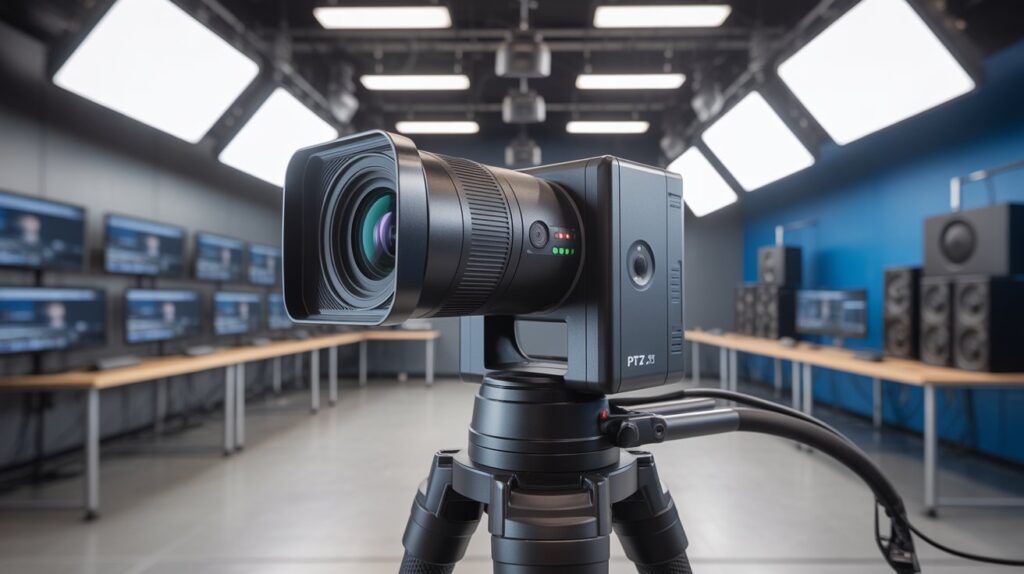
A PTZ camera is a smart video camera that adjusts its view remotely — no manual handling needed. It rotates left and right (pan), moves up and down (tilt), and zooms in on details, all controlled through a hardware controller, software, or a mobile app. This makes it a strong fit for live streaming setups where flexibility matters most.
What sets a pan tilt zoom camera for live streaming apart from a regular fixed camera is how naturally it tracks the action. During a church service, it can shift smoothly from speaker to audience. In a podcast or online class, it can zoom in for a close-up or pull back to a wide shot — all without pausing the broadcast. This keeps the viewing experience polished and professional for audiences across the USA.
At its core, a PTZ camera is built to simplify production while raising video quality. Instead of running multiple cameras or manually adjusting angles, one unit covers several views in real time. Its core functions:
- Pan – rotates side to side to track movement
- Tilt – shifts up or down for accurate framing
- Zoom – brings distant subjects into focus without repositioning the camera
Whether you’re just starting out or running a full production team, a PTZ setup makes it easier to deliver clean, dynamic, viewer-friendly streams without added complexity.
How PTZ Cameras Work for Live Streaming
- Remote camera control: A PTZ camera lets you adjust framing during a live broadcast from a controller, app, or streaming software, without touching the camera or interrupting the stream.
- Pan: The camera rotates left and right to follow a speaker, show the audience, or cover different areas of a room in real time.
- Tilt: The lens moves up and down to keep the subject framed when someone stands, sits, or walks across the stage.
- Optical zoom: Switch from a wide shot to a sharp close-up instantly, ideal for facial expressions, products, or key moments without moving the camera.
- Preset positions: Save exact camera angles, then recall the host, guest, or wide room shot with one click during the stream.
- Auto-tracking: AI-powered subject tracking keeps the presenter centered automatically, so a small team can run a smooth broadcast.
- Software and hardware integration: Control PTZ cameras through joystick controllers, OBS, vMix, or IP/NDI/RTMP workflows, which suits churches, events, and studios across the USA with small production teams.
- Multi-camera look, single-camera setup: Presets and smooth motion create a professional, multi-angle feel while reducing the need for extra cameras or operators.
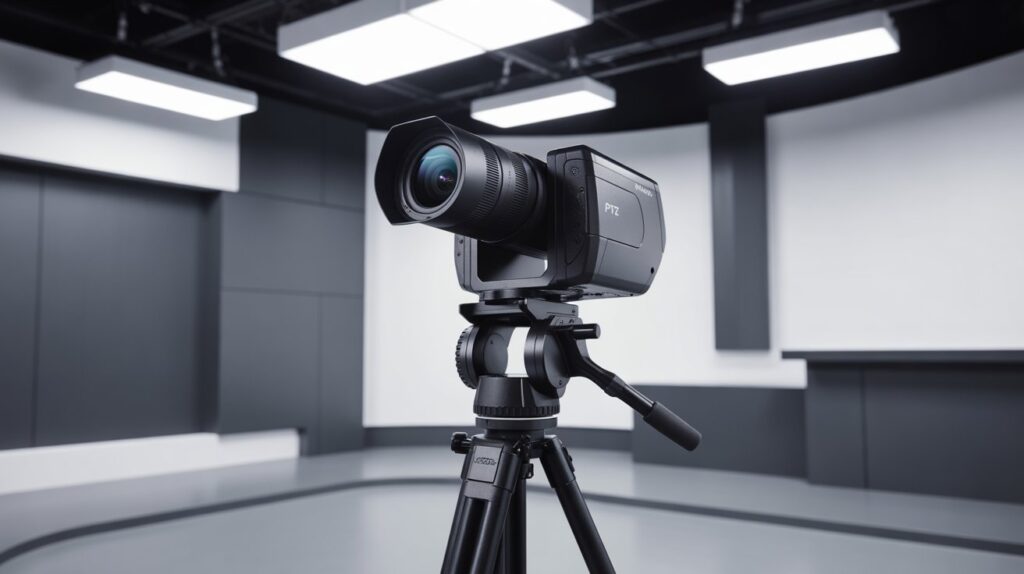
PTZ Camera vs Static Camera: What’s the Real Difference?
Choosing between a static camera and a pan tilt zoom camera for live streaming comes down to how much control and flexibility you need during a broadcast. Both capture video, but the viewer experience they deliver is very different — and understanding that difference helps streamers make a smarter setup decision.
Static Cameras: Simple but Limited
Static cameras stay fixed in one position. They’re easy to set up and work fine when the subject never moves. But in real-life streaming — church services, panel discussions, live events — people shift, scenes change, and moments happen unexpectedly. A static camera misses these, leaving the stream feeling flat.
PTZ Cameras: Flexible and Viewer-Focused
A PTZ camera adapts in real time. With remote pan, tilt, and zoom control — similar to how modern remote-controlled zoom cameras let you adjust your view from a phone — it follows movement, switches angles, and highlights key details without stopping the stream. This keeps audiences across the USA more connected to what’s on screen.
Which Option Delivers More Value?
For basic, unmoving setups, a static camera may be enough. But for growing channels, organizations, or creators focused on presentation quality, a pan tilt zoom camera for live streaming offers more long-term value — cutting limitations, raising production quality, and making streams feel intentional instead of accidental.
Key Features to Look for in a PTZ Camera for Live Streaming
Choosing the right PTZ camera comes down to the features that affect video quality, control, and reliability. Not all models are built the same. Knowing which specs matter, like resolution, optical zoom, low-light performance, and connectivity, helps you avoid overpaying or ending up with a camera that underperforms in real-world streaming setups across the USA.
Video Resolution & Frame Rate
Clear, smooth video is the foundation of any successful live stream. Higher resolution and stable frame rates make motion look natural and keep viewers visually engaged.
- Look for at least 1080p resolution for clean, professional-quality streams
- Higher frame rates (30fps or 60fps) help reduce motion blur during movement
- Better video clarity builds trust and keeps audiences watching longer
Optical vs Digital Zoom
Zoom quality matters more than most beginners expect. The type of zoom directly affects how sharp your live stream looks when focusing on details.
- Optical zoom uses the camera lens and maintains image quality
- Digital zoom crops the image and can reduce sharpness
- For live events, churches, or classrooms, optical zoom delivers more reliable results
Control Options (Remote, Software, App)
Easy control is what makes a PTZ camera truly powerful during a live broadcast. Flexible control options reduce stress and improve workflow.
- Remote controllers offer quick, precise camera movement
- Software control integrates smoothly with streaming platforms like OBS
- Mobile or desktop apps allow simple adjustments from anywhere in the room
When these features work together, a pan tilt zoom camera for live streaming becomes more than just a camera—it becomes a dependable production tool that delivers consistent, professional results without unnecessary complexity.
Internet, Software & Platform Compatibility for PTZ Live Streaming
A PTZ camera performs best when it’s paired with a stable internet connection. Without strong upload speed, even a high-end camera can lag, buffer, or drop video quality mid-broadcast. For smooth 1080p streaming, aim for at least 5-10 Mbps of upload bandwidth, and use a wired Ethernet or PoE connection instead of Wi-Fi to reduce latency and packet loss.
Most creators pair their setup with OBS Studio, which connects easily with PTZ cameras and gives full control over scenes, overlays, and multiple camera angles — making even a simple setup look professional without expensive equipment.
Popular streaming platforms also support PTZ cameras smoothly:
- YouTube Live – works with PTZ setups through streaming software for high-quality broadcasts
- Facebook Live – ideal for businesses, churches, and events reaching large audiences
- Zoom & video meetings – PTZ cameras connect via USB or IP for clearer, more professional calls and online classes
Internet speed plays a direct role in performance. For general guidance, the FCC’s Broadband Speed Guide compares typical online activities against the minimum download and upload speeds needed for good performance, via the FCC Broadband Speed Guide. As a practical baseline for PTZ streaming: fcc
- Minimum upload speed: around 5 Mbps for basic HD streaming
- Recommended: 10 Mbps or higher for stable 1080p or 4K streaming
With strong software support and wide platform compatibility, a pan tilt zoom camera for live streaming is a flexible, reliable choice for creators, educators, and organizations across the USA who want professional results without a complicated setup.
Pros and Cons of Using a PTZ Camera for Live Streaming
A PTZ camera offers a strong mix of flexibility, remote control, and professional-quality video. Like any streaming gear, it has both advantages and limitations. Knowing the pros and cons of PTZ cameras, from motorized movement and optical zoom to cost and setup complexity, helps creators make an informed buying decision and set realistic expectations for live streaming setups in the USA.
Pros
- Dynamic camera movement: Pan, tilt, and zoom allow smooth transitions and professional-looking shots.
- Space and cost efficiency: One PTZ camera can replace multiple static cameras in a small setup.
- Remote control: Adjust angles and zoom without physically touching the camera during a live stream.
- Preset positions: Quickly switch between saved views for consistent production quality.
- Versatile applications: Works well for churches, conferences, podcasts, classrooms, and live events.
Cons
- Higher initial cost: PTZ cameras are more expensive than basic static cameras.
- Learning curve: Beginners may need time to master remote control or software integration.
- Dependent on internet and software: Poor connectivity or incompatible streaming software can affect performance.
- Mechanical maintenance: Moving parts may require occasional care to ensure smooth operation.
Overall, the benefits of a PTZ camera outweigh the drawbacks, especially for creators who want professional video quality, smooth remote control, and higher viewer engagement. With the right setup, including presets, optical zoom, and a stable wired connection, a PTZ camera can turn an ordinary stream into a polished, dynamic broadcast that keeps audiences watching.
Conclusion
A PTZ camera is more than streaming gear. It’s what connects you to your audience. With smooth remote control, optical zoom, and professional-quality video, it turns an ordinary stream into an engaging experience that holds viewer attention. Whether you’re broadcasting a church service, podcast, online class, or live event, a PTZ camera helps your content look sharp, stay watchable, and reach viewers across the USA.
Smooth movement, precise zoom, and dynamic framing don’t just improve production quality — they change how your audience experiences your content. And if you’re weighing PTZ options beyond live streaming, our guide to the best outdoor PTZ security camera with auto motion tracking is worth a look for home coverage too.
FAQs
1. Are PTZ cameras good for live streaming?
Yes, PTZ cameras are ideal for live streaming since they offer smooth pan, tilt, and zoom control without interrupting the broadcast.
2. Do I need special software to use a PTZ camera for streaming?
Most PTZ cameras work with software like OBS Studio, giving you full control over scenes, angles, and presets during a live stream.
3. Can a PTZ camera replace multiple cameras in a live setup?
Yes, one PTZ camera can cover multiple angles in real time, reducing the need for extra cameras and operators.
4. What internet speed do I need for PTZ live streaming?
A minimum of 5 Mbps upload works for HD, but 10 Mbps or higher is recommended for stable 1080p or 4K streaming.
5. Is a PTZ camera worth it for churches and small studios?
Yes, it delivers professional-level coverage without hiring extra camera operators, making it cost-effective for small teams.
About the Author
M Bilal is the founder of CrimTechHub and holds a BS in Criminology. Alongside home security and surveillance topics, he covers camera technology used in live production — including PTZ systems for churches, classrooms, and events — based on how these tools perform in real setups, not just spec sheets.
Content on CrimTechHub is researched from manufacturer documentation, platform compatibility requirements (OBS, YouTube Live, Facebook Live), and hands-on testing notes, so readers get practical guidance instead of generic marketing claims.