Introduction
An old phone sitting in a drawer and a $0 price tag is what pulls most people toward Alfred Camera — the catch is that “free security camera” also means your live feed and footage route through someone else’s cloud servers. That trade-off is worth understanding before you mount it in a bedroom or nursery.
This guide breaks down exactly how Alfred Camera handles your data, what its encryption actually covers versus what it claims, and where real security incidents have happened in the past. No marketing language — just what you need to know before trusting it with a room in your home.
Table of Contents
Is Alfred Camera Safe? The Question Every Smart Home User Asks
Putting a camera in your home means putting a device between your private life and someone else’s servers — that’s not a decision to make on convenience alone. The real question isn’t whether Alfred Camera works, it’s whether it’s earned the trust that comes with watching your bedroom, your kids, or your front door around the clock.
The concern isn’t video quality anymore. It’s who else can see that footage — whether a stranger could tap into your live feed, how long your clips sit on a server you don’t control, and what happens to that data if the company itself gets breached. These aren’t hypothetical worries; app-based cameras that stay connected 24/7 are a bigger attack surface than most people realize.
If that trade-off doesn’t sit right with you, it’s worth knowing there are alternatives — our roundup of outdoor security cameras that skip Wi-Fi and cloud dependency entirely covers options that keep footage local instead of routing it through someone else’s servers.
Understanding how Alfred Camera actually handles your data — not just what it claims to — is what separates an informed choice from a convenient assumption.
What Is Alfred Camera and How Does It Actually Work?
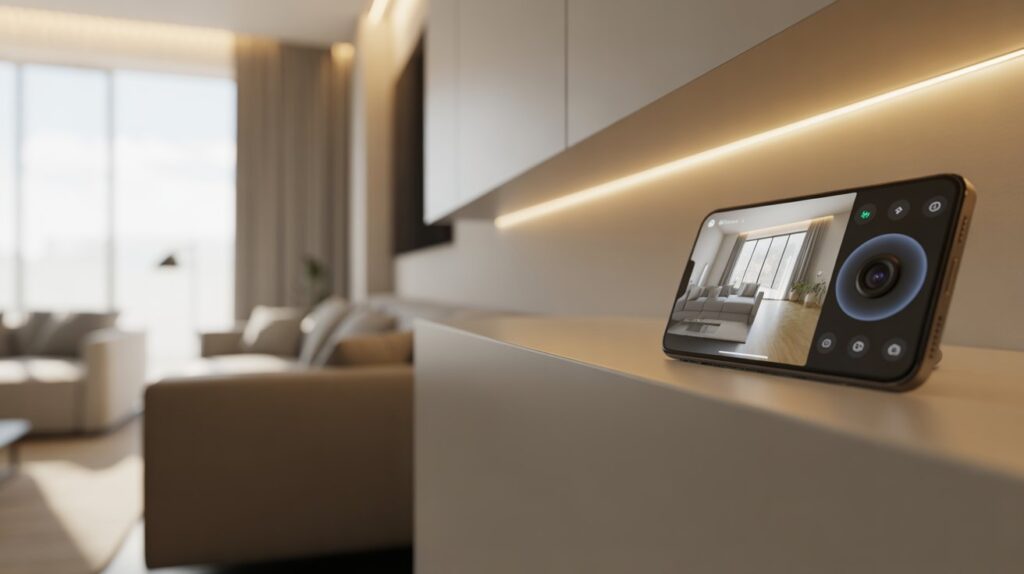
Alfred Camera takes a different approach to home security, converting an old smartphone into a working surveillance camera instead of requiring new equipment. The setup only needs two devices—one functioning as the camera and the other as the live viewer. Since the entire system runs on software, cloud connectivity, and internet access rather than physical security hardware, safety and reliability become natural points of concern for users.
At its core, Alfred Camera works by using your old phone’s camera, microphone, and motion detection features. Once set up, the phone stays plugged in and continuously monitors the space. For many users, this feels practical and familiar—an old phone watching over a baby’s room, a pet area, or the front door—without adding new devices to the home.
Here’s how Alfred Camera functions in everyday use:
- Your old smartphone becomes the security camera after installing the app
- A second phone, tablet, or computer is used to view the live feed
- Motion detection triggers alerts when movement is detected
- Audio and video are captured in real time
That same cloud dependency is what makes checking your feed from the office possible — and exactly why it deserves scrutiny before you rely on it for anything long-term. Convenience and exposure are two sides of the same connection here.
In practice, Alfred Camera works well as an entry-level option: no new hardware, minimal setup, functional motion alerts. But “easy to use” and “fully vetted for privacy” aren’t the same thing, and the gap between them is exactly what the next sections dig into — encryption specifics, past vulnerabilities, and what data actually leaves your phone.
Security Features That Protect Your Data
- Alfred Camera encrypts video and account data in transit using 256-bit AES over TLS — the same standard most major camera apps rely on. Worth noting: this covers data moving between your device and Alfred’s servers, not full end-to-end encryption across every feature, so it’s solid but not the strongest tier available on the market.
- Login access ties to verified credentials, which cuts down on the chance of a random account slipping into your camera feed.
- Device pairing limits your live stream to phones you’ve explicitly approved — a new device can’t just join your account without that step.
- Unusual login behavior triggers re-authentication, adding friction for anyone trying to access your account from an unrecognized device.
These are reasonable baseline protections, similar to what you’d expect from other budget and mid-range options. If you’re comparing this against other setups, our guide on wireless outdoor security cameras that work with Alexa breaks down how encryption and access controls stack up across different brands.
Privacy Concerns: What Data Does Alfred Camera Collect?
What Data Alfred Camera Stores — and What It Doesn’t
Alfred Camera primarily stores video recordings and activity logs that users actively choose to save, particularly when cloud storage is turned on. It doesn’t touch personal files, contacts, or private messages elsewhere on the phone. That distinction matters a lot, since it shows the app stays focused on security footage rather than reaching into unrelated personal data.
How Live Streaming and Cloud Storage Work Together
The app depends on cloud servers to power live streaming and remote access. Video clips upload only when recording is triggered or manually enabled by the user. This cloud-based setup means you can check your feed from anywhere, which is exactly why secure handling of stored footage matters so much for privacy.
User Control Over Recordings and Access
Alfred Camera gives users control over when recordings happen and who can view them. You can turn recording on or off, manage device access, and decide how long footage is kept. This level of control helps users feel confident that they are not being recorded without their knowledge.
Transparency and Trust in Data Handling
Alfred Camera builds trust through transparency—clearly outlining its privacy practices and data policies rather than burying them in fine print. Visible permissions and user-managed storage settings reinforce that the app is designed to protect your home without overstepping personal boundaries.
Is Alfred Camera Safe for Indoor and Family Use?
Indoor cameras sit in an uncomfortable spot — the same device watching over a sleeping baby is also capable of streaming that room to a server somewhere else. That tension is exactly why “is it safe indoors” gets asked more than any other question about apps like this.
Used well, indoor monitoring through Alfred Camera covers the basics people actually want:
- Checking on a baby without walking in and risking waking them
- Keeping tabs on an elderly parent or family member from another room or city
- Watching pets during the day without buying separate hardware
- Getting real alerts instead of just hoping nothing happened while you were out
None of that eliminates the underlying risk — a connected camera is only as secure as its weakest login. According to Alfred’s own security and safety documentation, account access controls and encrypted transmission are the primary safeguards in place, which makes password hygiene and limiting device access the actual deciding factor — not the app’s built-in features alone.
Common Security Risks and How to Avoid Them
Even the best-built camera app can turn risky if basic security habits get overlooked. Most safety concerns actually stem from how the app is used, not flaws in the app itself. Knowing these common pitfalls helps you stay protected and use it with real confidence.
Weak passwords are one of the biggest threats. Simple or reused passwords make it easier for someone to guess their way into your account. Public Wi-Fi is another hidden danger, as unsecured networks can expose login details during live streaming. Older phones also matter—outdated devices may lack security updates, making them easier targets for unauthorized access.
You can reduce these risks by following a few practical safety steps:
- Use a strong, unique password for your Alfred Camera account
- Avoid logging in on public or shared Wi-Fi networks
- Keep the camera phone’s operating system updated
- Limit account access to trusted devices only
In practice, most problems trace back to setup, not the app itself — weak passwords, shared logins, or an outdated phone left unattended are the real gaps attackers use. Handle those basics and Alfred Camera holds up as a reasonably secure option; skip them, and no amount of built-in encryption will save you.
Alfred Camera vs Other Security Camera Apps (Safety Comparison)
Alfred isn’t the only free-ish option on the market, and safety is usually where the real differences show up — not in the app’s interface.
Privacy and Security Features Compared
- Alfred encrypts data in transit (256-bit AES over TLS) and offers user-managed recordings, but it isn’t fully end-to-end encrypted across every feature — that distinction matters if privacy is your top priority.
- Competing apps with paid tiers sometimes offer stronger encryption standards, though often at the cost of a mandatory subscription.
- Alfred gives more granular control over who can access a feed and when, compared to apps that bundle everyone under one shared login by default.
Market Position and User Experience
- Alfred’s biggest draw is turning a spare phone into a working camera — no hardware purchase required, which is rare in this category.
- Ring, Nest, and Arlo lean on dedicated hardware and steadier subscription revenue, which usually buys more consistent security auditing and faster patching.
- For renters or anyone testing out home monitoring before committing to hardware, Alfred is the lower-cost way in.
Balanced Perspective
Alfred isn’t the most locked-down option available — it’s had at least one real vulnerability in the past that let a device-ID exploit expose other users’ feeds before it was patched. That’s not disqualifying, but it’s a fair reason to not treat it as bulletproof. Used with strong account hygiene, it’s a reasonable middle ground between cost and protection; if encryption strength is non-negotiable for you, a hardware-based system with true end-to-end encryption is the safer bet.
Conclusion
Alfred Camera works exactly as advertised: it turns a spare phone into a functioning camera without spending a dollar on hardware. What it doesn’t do is match the encryption depth or track record of dedicated security hardware — that’s the trade-off, and now you know exactly where it sits.
If privacy is the deciding factor for your setup, it’s worth reading our breakdown of outdoor security cameras that work without Wi-Fi or the cloud before you commit either way.
Used with strong account hygiene — unique password, limited device access, updated OS — Alfred Camera is a reasonable starting point. Just go in knowing what it is: a practical budget option, not a fully locked-down system.
FAQs
Q1: Is it safe to use an Alfred Camera?
Yes, Alfred Camera is generally safe when used responsibly, with strong passwords and secure device settings.
Q2: Does Alfred Camera record all the time?
No, recording happens only when motion detection is triggered or when you manually enable it.
Q3: Is Alfred Camera free to use?
Yes, Alfred offers a free version with basic features; premium plans add extra storage and advanced options.
Q4: What camera cannot be hacked?
No camera is completely hack-proof, but devices with strong encryption, updated firmware, and controlled access are much safer.
Q5: How can I tell if my camera is actively watching me?
Check the camera indicator light, review app settings, and monitor active devices linked to your account.
Q6: Has Alfred Camera ever had a security breach?
In 2022, a researcher found a flaw that let some users access other people’s camera feeds by manipulating device IDs. Alfred patched it quickly, but it’s a reminder that no connected camera app is immune to vulnerabilities — account hygiene still matters most.
About the Author
M Bilal holds a Bachelor’s degree in Criminology and covers home security technology, privacy risks, and surveillance practices for CrimTechHub. His criminology background pushes him to look past marketing claims and check what security features actually hold up — encryption standards, access controls, and documented incidents — rather than taking a company’s safety page at face value. He writes to help homeowners make informed decisions about what’s watching their home and where that footage actually goes.