Introduction
You come home late. Both hands full. The porch is completely dark. You’re fumbling for a switch that shouldn’t even need to exist.
That frustration is exactly why so many US homeowners are learning how to wire a motion sensor light without a switch. No extra hardware. No wall switch to hunt for. Just smart, automatic lighting that turns on the moment you need it — and shuts off when you don’t.
This guide walks you through the entire process in plain language. Whether you’re upgrading your driveway, garage, or backyard — by the end of this, you’ll have everything you need to do it safely and confidently on your own.
Table of Contents
Why Wire a Motion Sensor Light Without a Switch?
Most people assume a light needs a wall switch. But honestly, for a motion sensor light — a switch is just extra work you don’t need.
Think about your garage, backyard, driveway, or front porch. You don’t walk in and flip a switch. You just want the light to turn on when you show up and off when you leave. That’s exactly what a hardwired motion sensor light does — automatically, every single time.
There’s a real reason American homeowners are ditching the switch setup. A direct-wired motion sensor light turns on the moment it detects movement, whether it’s you pulling into the driveway at midnight or a stranger walking near your front door at 2 AM. No fumbling for a switch. No leaving the light on all night and wasting electricity.
The benefits are simple and practical:
- Security — Instant light activation deters intruders and keeps your property visible at night.
- Convenience — Hands full of groceries? The light handles itself.
- Energy savings — It only runs when needed, which cuts your electricity bill over time.
Wiring a motion sensor light without a switch also means a cleaner installation — fewer components, less wall work, and a setup that just makes sense for outdoor and utility spaces.
If you’ve been putting this off because it sounds complicated, it’s not. With the right steps, this is a straightforward DIY job any homeowner can handle safely.
What You Need Before You Start
Before you wire a motion sensor light without a switch, take five minutes to gather everything. Starting without the right tools is how small jobs turn into big headaches.
Here’s what you’ll need:
Tools:
- Flathead and Phillips screwdriver
- Wire stripper
- Voltage tester (non-contact type — don’t skip this)
- Needle-nose pliers
- Electrical tape
Materials:
- Motion sensor light fixture
- Wire nuts (usually included with the fixture)
- Mounting hardware (also included)
Safety first:
- Turn off the circuit breaker before touching any wires — not just the wall switch
- Use rubber-grip tools when possible
- Keep a flashlight handy since you’ll be working with the power off
One thing many DIYers overlook is the voltage tester. Even after flipping the breaker, always test the wires before touching them. It’s a $10 tool that could save your life — worth every penny.
Also check your motion sensor light fixture before starting. Most outdoor motion sensor lights sold at Home Depot, Lowe’s, or Amazon come with black, white, and green wires. Make sure yours matches a standard 120V household wiring setup, which is typical in the US.
Once everything is laid out in front of you, the job feels much less intimidating — and goes a lot faster.
Understanding the Wires — Black, White, and Green Explained
If wires confuse you, you’re not alone. Most homeowners freeze up the moment they open a junction box and see three different colored wires staring back at them. But once you understand what each wire does, the whole job makes sense.
Here’s a simple breakdown for standard US residential wiring:
- Black wire — Hot wire. This carries the live electrical current from your breaker panel to the fixture. It’s the one that can shock you if the power is on. Always handle with respect.
- White wire — Neutral wire. This completes the electrical circuit and carries current back. It works alongside the black wire to keep everything balanced.
- Green wire (or bare copper) — Ground wire. This is your safety wire. It doesn’t carry regular current — it only activates if something goes wrong, directing excess electricity safely into the ground and protecting you from shock.
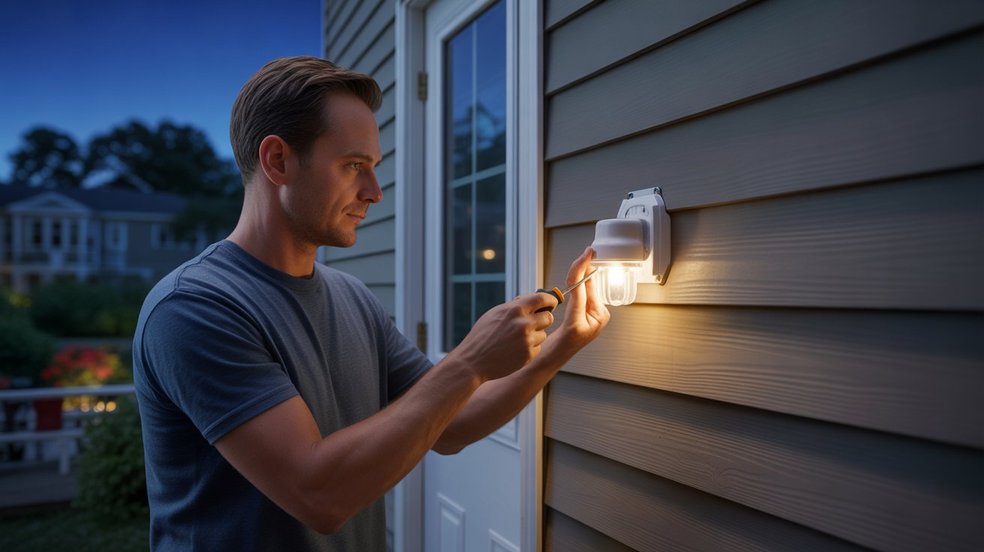
Your motion sensor light fixture will have these same three wires coming out of it. When you wire a motion sensor light without a switch, you’re simply connecting these fixture wires directly to the matching house wires — black to black, white to white, green to ground.
No switch in the middle. No extra wiring. Just a clean, direct connection.
One important note — some motion sensor fixtures also have a red wire. In a no-switch setup, the red wire connects to the black house wire along with the fixture’s black wire. If your fixture has one, the included instruction sheet will confirm this.
Understanding your wires before you start is what separates a confident DIY job from a dangerous guessing game.
How to Wire a Motion Sensor Light Without a Switch — Step by Step
This is the part that matters most. Follow these steps carefully and you’ll have your motion sensor light hardwired, tested, and working — without ever needing a wall switch.
Step 1: Turn Off the Power Go to your breaker panel and switch off the circuit that powers the area where you’re installing the light. Then use your non-contact voltage tester at the junction box to confirm the power is truly off. Don’t trust the switch alone — always verify.
Step 2: Remove the Old Fixture (If Replacing One) Unscrew the existing light fixture and carefully pull it away from the wall or ceiling. You’ll see the house wires tucked inside the box. Leave them as they are for now.
Step 3: Prepare the Wires If the wire ends look worn or the insulation is nicked, use your wire stripper to expose about ¾ inch of fresh copper on each wire. Clean connections are reliable connections.
Step 4: Mount the Fixture Bracket Attach the mounting bracket from your motion sensor light kit to the electrical box. This gives your fixture a solid, secure base before any wiring begins.
How to Connect the Wires Properly
This step is where most people get nervous — but it’s actually the simplest part when you know what goes where.
- Connect black to black (house hot wire to fixture hot wire) using a wire nut. Twist clockwise until snug.
- Connect white to white (house neutral to fixture neutral) the same way.
- Connect the green fixture wire to the bare copper ground wire from the house. If your box has a ground screw, attach it there as well.
Once connected, give each wire nut a firm tug to make sure nothing is loose. Wrap each connection with electrical tape for extra security — especially important for outdoor installations exposed to moisture and temperature changes.
Carefully fold the wires into the electrical box, push the fixture flush against the wall, and secure it with the mounting screws.
How to Set the Sensor Sensitivity and Timer
Most motion sensor lights come with small adjustment dials on the back or bottom of the sensor head. Before you restore power, take a moment to understand them.
- SENS (Sensitivity): Controls how far and wide the sensor detects motion. Start at medium. You can adjust after testing — you don’t want it triggering every time a car passes on the street.
- TIME: This dial controls how long the light stays on after it detects movement. For most driveways and front entries, anywhere between one and five minutes is a practical and efficient setting.
- LUX (sometimes labeled LIGHT): Determines whether the light activates only at night or any time motion is detected. Set to “dusk to dawn” mode for automatic nighttime-only operation.
Once your adjustments are set, restore power at the breaker and test the light by walking in front of the sensor. Fine-tune the dials until the detection range and timer feel right for your space.
That’s it. Your motion sensor light is now fully wired and working — no switch needed.
Common Mistakes to Avoid
Even a straightforward job like wiring a motion sensor light without a switch can go wrong fast if you skip the basics. These are the mistakes that show up most often — and cost the most time to fix.
1. Not turning off the breaker Flipping the wall switch is not enough. The house wires inside the junction box are still live unless the breaker is off. This is the number one safety mistake — and the most dangerous one. Always kill power at the panel and verify with a voltage tester before touching anything.
2. Loose wire connections A wire nut that isn’t twisted tight enough will cause flickering, tripped breakers, or complete failure. After connecting each wire, tug it firmly. If it pulls out easily, reconnect it. A loose connection inside a junction box is also a fire hazard — don’t rush this step.
3. Skipping the ground wire Some people ignore the green or bare copper ground wire thinking it doesn’t matter. It does. The ground wire is your protection if the fixture ever shorts out. Always connect it — especially on outdoor motion sensor lights exposed to rain and humidity.
4. Wrong sensor placement or angle Your light works perfectly but never triggers — or triggers constantly for no reason. This usually comes down to sensor positioning. PIR motion sensors detect heat and movement across their field of view, not directly in front. Aim the sensor head slightly downward and away from heat sources like AC vents or direct sunlight.
5. Ignoring the fixture’s IP rating If you’re installing outdoors, make sure your motion sensor light is rated for outdoor use — look for IP65 or higher on the packaging. Using an indoor-rated fixture outside exposes it to moisture damage and creates a real safety risk over time.
6. Over-tightening the mounting screws It sounds minor but cracking the fixture base or stripping the electrical box threads means starting over. Snug is enough — you don’t need to over-torque plastic or aluminum housings.
Avoiding these mistakes doesn’t require years of experience. It just requires slowing down, following the steps, and not cutting corners on safety.
Final Thoughts
Most people overthink this job. They assume it requires an electrician, a permit, or some advanced knowledge they don’t have. The truth is — wiring a motion sensor light without a switch is one of the most beginner-friendly electrical upgrades a homeowner can do. The wires are simple, the steps are logical, and the result is immediate. One afternoon of work, and your home is already safer and more efficient than it was that morning.
The real value isn’t just in the wiring — it’s in what it gives you every night after that. A driveway that lights up when you pull in. A backyard that stays dark until it needs to be bright. A front entry that watches over your home even when you’re not. That’s not a small thing. That’s peace of mind on autopilot — and you built it yourself.
Now take a moment to think — which corner of your home deserves that kind of upgrade first?
FAQs
Does a motion sensor light need a switch?
No, it doesn’t. A motion sensor light works perfectly when hardwired directly — it detects movement and switches itself on and off automatically.
How to wire a motion sensor to an existing light?
Turn off the breaker, then connect the sensor’s wires between the house wires and the existing fixture — black to black, white to white, ground to ground. The sensor acts as the controller.
How is a motion sensor light wired?
It connects directly to your home’s black (hot), white (neutral), and green or bare copper (ground) wires — no switch required in between.
How to wire a PIR sensor with an override switch?
Connect the PIR sensor directly into your circuit, then run a bypass switch alongside the sensor output. That way, you can manually override the automatic setting and keep the light running as long as you need it.
How to trick a motion sensor light?
Move slowly or stay completely still — PIR sensors detect heat movement, so minimal motion can avoid triggering them. Not recommended for security lights though.
How to hardwire a sensor light?
Cut power at the breaker, run your cable to the junction box, connect black to black, white to white, and ground to ground, then secure the fixture. Restore power and test.