Introduction
7 a.m., you’re rushing out the door, and the alarm suddenly blares because you forgot the code. Sound familiar? For most homeowners, learning how to turn off a home security system only becomes urgent in exactly this kind of moment — rushed and a little frazzled.
Security systems exist to protect you, not stress you out. Whether it’s a stubborn false alarm, a move, a vacation pause, or new equipment coming in, knowing how to deactivate your alarm the right way changes everything. This guide walks you through it — quick keypad steps, what to do when nothing seems to work, and how to stay in control of your own home, every time.
Table of Contents
Why You Might Need to Turn Off Your Home Security System
Circumstances shift, and your security needs shift with them. Most homeowners don’t think about how to turn off a home security system until they’re standing in front of the keypad, unsure what to do next. Understanding the common reasons behind this can make the entire process far less stressful.
Moving out is one of the biggest triggers. Whether you’re handing over keys to a new owner or closing out a rental, you’ll likely need the disarm code ready so the next person can access the property without your system blaring at them. Similarly, a system upgrade often means deactivating the alarm completely before new equipment takes its place, since running two systems together usually causes more confusion than convenience.
False alarms are another frequent reason people search for this solution. A pet wandering past a motion sensor or a gust of wind rattling a window sensor can set off a siren loud enough to wake the whole street. In these moments, knowing how to pause monitoring quickly prevents an unnecessary call from your provider — or worse, a visit from local authorities.
Then there’s the vacation pause. Some homeowners prefer to deactivate alarm features while away if they’ve arranged for a trusted neighbor or family member to check on the house, since constant false triggers can drain batteries and create unnecessary noise. And finally, selling the house brings its own urgency: buyers expect a clean handover, free of active monitoring tied to your name.
Each of these situations calls for a slightly different approach, but they all start with the same basic need — taking control of your system safely and on your own terms.
How to Turn Off Your Home Security System Safely (Step-by-Step)
Once you understand why you need to deactivate your system, the next step is doing it the right way. Most homeowners worry about pressing the wrong button and triggering a false alarm, but the actual process is simpler than it feels once you know where to look.
Using the Keypad or Control Panel
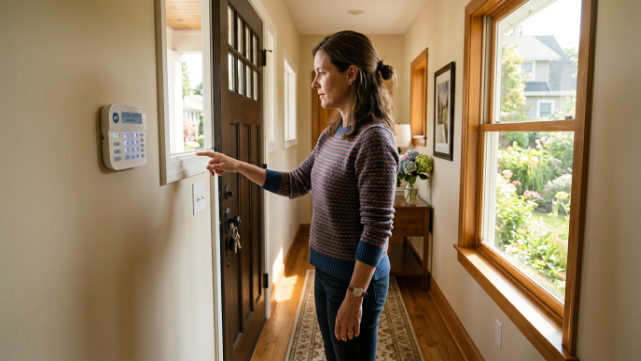
The keypad is usually the fastest way to turn off a home security system. Find your control panel — it’s usually near the main entry door — and type in your personal disarm code. Most panels display a clear “armed” or “disarmed” status light, so you’ll know immediately if the action worked. If your system uses a master code, this same number often works across multiple entry points, saving you from memorizing several codes. For added safety, always double-check that the panel shows “disarmed” before leaving doors or windows open, since some systems briefly remain active for a few seconds after code entry.
Using the Mobile App
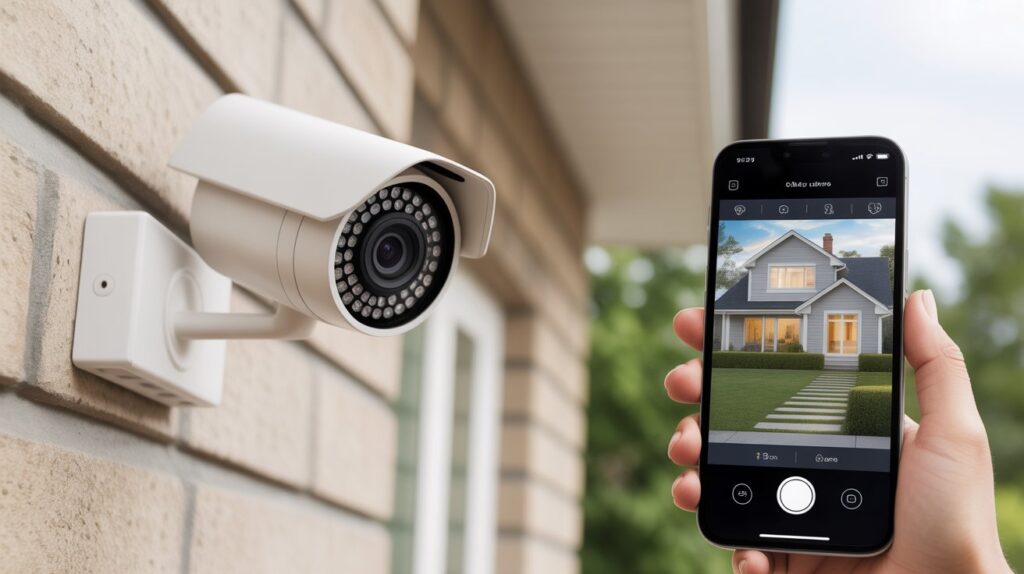
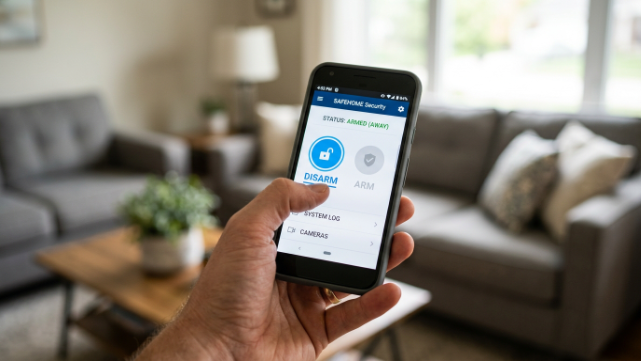
Many modern systems now offer app-based control, which makes things even more convenient. Open your security provider’s app, log into your account, and look for the disarm or “system off” option on the main dashboard. This method works well if you’re away from home and need to let in a guest, contractor, or family member. Apps often send a confirmation notification once the system is successfully deactivated, giving you peace of mind without needing to be physically present at the panel.
General Steps That Work Across Most Brands
Regardless of the brand or model, a few universal steps apply almost everywhere:
- Locate your control panel or open your security app
- Enter your disarm code or tap the deactivate option
- Wait for visual or audio confirmation that the system is off
- Check individual sensors if your system allows partial deactivation
- Contact your monitoring center if the alarm was triggered, so they don’t dispatch emergency services unnecessarily
Following these steps in order removes the guesswork and keeps the process stress-free, whether you’re handling a quick false alarm or preparing for a longer shutdown.
Turning Off Specific Components (Sensors, Cameras, Sirens)
Sometimes you don’t need to shut down the entire system — you just need one part of it to stop. Knowing the difference between a full shutdown and a partial one can save you from disabling protection you actually still need.
Door and window sensors are often the easiest to manage individually. If one sensor keeps misfiring because of a loose seal or a drafty window, most control panels let you bypass that single zone without touching the rest of your setup. This means your front door stays protected while the faulty window sensor takes a break until it’s fixed or replaced.
Motion detectors require a bit more thought. These sensors cover wider areas, so turning one off might leave a hallway or living room unmonitored. Homeowners with pets often run into this issue, since a curious cat or an energetic dog can repeatedly trigger motion-based alerts. In these cases, adjusting sensitivity settings instead of fully disabling the sensor is usually the smarter move, keeping your home secure while cutting down on false alerts.
Cameras work a little differently since many run independently of the main alarm system. You can typically turn off live recording or notifications through the app without affecting your door sensors or siren. This is helpful if you have guests over and want extra privacy, without compromising the rest of your home security setup.
Sirens, on the other hand, should rarely be disabled on their own. A blaring alarm is your home’s strongest deterrent, and silencing it without good reason — like a known false trigger — can leave you exposed during an actual break-in.
Quick reference for partial shutdown:
- Door/window sensors — bypass individually if one zone is faulty, while keeping others armed
- Motion detectors — adjust sensitivity first; disable only if false triggers continue
- Cameras — turn off recording or notifications independently through the app
- Sirens — avoid disabling unless you’re certain the trigger was false
Real-life logic makes this clear: a homeowner who disables a single faulty sensor instead of the whole system stays protected while solving the actual problem. Choosing partial shutdown over full deactivation, whenever possible, keeps your home secure without sacrificing convenience.
How to Cancel Monitoring or Pause Your Service
Turning off your home security system at the panel only solves half the problem. If your alarm is connected to a professional monitoring service, the company on the other end still believes your home is active — and that’s where most homeowners get tripped up.
Contacting Your Provider
Before doing anything else, call your monitoring company directly. Tell them you need to deactivate the alarm temporarily or permanently, and confirm the change on your account. Skipping this step is a common mistake: even after you disarm the system at home, an unrelated glitch or leftover signal can still alert the monitoring center, leading to an unwanted call from emergency dispatch. A quick five-minute conversation with your provider prevents this entire headache.
Temporary Suspension vs. Permanent Cancellation
Not everyone needs to cancel their monitoring contract completely. Depending on your situation, one of these two options will fit better:
- Temporary suspension — ideal for short absences, renovations, or system upgrades; monitoring pauses but your contract and equipment stay intact
- Permanent cancellation — the right choice when you’re moving out, selling the home, or switching to a new provider; usually needs written notice and may come with contract conditions.
What to Expect During the Process
Most providers will ask for your account details, reason for the change, and a preferred date to pause or end service. Some monitoring contracts include early termination fees or notice periods, so it helps to review your agreement beforehand rather than being surprised later. Homeowners who’ve gone through a permanent move often say the biggest relief comes once they have written confirmation that monitoring has officially stopped — it’s the difference between feeling done and still wondering if someone might show up at your old address.
Whether you choose a short pause or a full cancellation, keeping clear communication with your provider ensures your home security system is shut down exactly the way you intended, without any lingering surprises.
Common Mistakes to Avoid When Disarming Your System
Even a simple task like turning off your home security system can go wrong if you skip a few important steps. Here are the most common mistakes homeowners make — and how to avoid each one:
- Forgetting to notify the monitoring center — disarming the panel doesn’t always update your provider in real time, and a delayed signal can still trigger a dispatch call to your home
- Entering the wrong disarm code repeatedly — most systems lock you out after three to five failed attempts, often requiring a reset call to your provider before you can try again
- Leaving certain sensors armed during partial shutdown — bypassing one zone while assuming the whole system is off can leave you confused later when an unexpected alert goes off
- Disarming in a rush without checking the panel status — some systems take a few seconds to fully deactivate, and walking away too soon can leave doors or windows still monitored
- Skipping written confirmation after cancellation — relying on a phone call alone, without an email or account update, can lead to billing or monitoring issues down the line
- Assuming all devices share one master code — cameras, smart locks, and the main alarm panel sometimes use separate logins, so missing this can cause one device to stay active by mistake
Avoiding these mistakes keeps the entire process smooth, whether you’re handling a quick false alarm or shutting the system down for good.
What to Do If Your System Won’t Turn Off
Every now and then, you enter the correct code, follow every step, and the system still refuses to disarm. It’s frustrating, especially when the siren keeps going or the panel light won’t change — but most of the time, the fix is simpler than it feels.
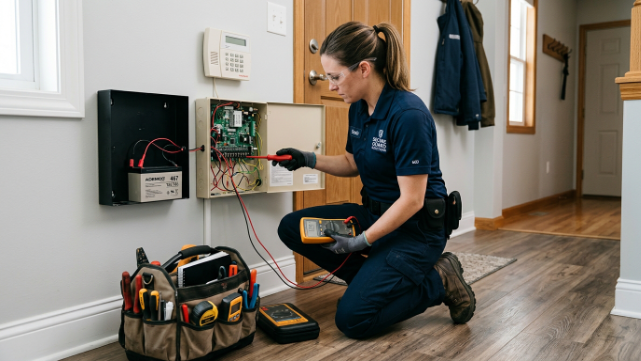
Battery backup is often the hidden culprit. Many systems run on a backup battery that keeps the alarm active even during a power outage or after the main power is cut. If your home security system won’t turn off despite multiple attempts, check whether the backup battery needs to be manually disconnected or removed, since this alone solves the issue more often than homeowners expect.
If the panel still isn’t responding, a master code reset might be necessary. This usually involves holding a specific button combination or accessing an admin menu to reset the deactivation code entirely. Every brand handles this slightly differently, so checking your system’s manual or the manufacturer’s support page beforehand saves time and frustration.
When neither option works, it’s time to call support or request a technician. A stuck system could point to a wiring issue, a firmware glitch, or a sensor malfunction that needs professional attention. Real-life logic applies here: continuing to enter codes over and over without success rarely fixes anything, and a quick call to support resolves the problem far faster than guesswork.
Quick troubleshooting checklist:
- Check the backup battery — manually disconnect or remove it if the system stays active during a power cut
- Try a master code reset — follow your brand’s specific button combination or admin menu steps
- Inspect for visible faults — loose wiring, blinking error lights, or unresponsive buttons
- Call provider support — explain the exact symptoms so they can guide you remotely
- Request a technician visit — necessary if the issue points to firmware or hardware failure
There’s real peace of mind in knowing that even a stubborn alarm has a solution. Whether it’s a battery, a reset, or a technician’s visit, every home security system can be turned off safely once you know the right step to take.
Conclusion
Knowing how to turn off your home security system shouldn’t feel like solving a puzzle in the middle of a stressful moment. Whether you’re handling a false alarm, moving out, pausing monitoring for a vacation, or simply upgrading your equipment, the process becomes simple once you understand the right steps — and the right reasons behind them.
Every home deserves protection that works with you, not against you. A security system is meant to bring peace of mind, not panic, and that includes the moments when you need to turn it off just as much as the moments when you need it on.
Now take a moment to think — the next time your alarm beeps unexpectedly or you’re handing over keys to a new chapter in your life, will you feel prepared, or caught off guard? True security isn’t just about locking your home down. It’s about having the confidence to control it, on your own terms, whenever life asks you to.
FAQs
How do I turn off my security system?
Enter your disarm code on the keypad or use your provider’s app to deactivate it instantly.
How do I shut down my home security system?
Locate your control panel, input the correct code, and confirm the “disarmed” status before leaving.
How do I completely turn off a house alarm?
Disarm the panel, disconnect the backup battery, then notify your monitoring center to fully shut it down.
How do I turn off my personal security alarm?
Press the disarm button or enter your code; most personal alarms also have a manual off switch.
How do I stop my home security system from beeping?
Check for a low battery or open sensor, then re-enter your code to clear the alert.
How do I deactivate my alarm?
Use your keypad code or mobile app, and verify the system shows “off” before walking away.
How to disable a hardwired alarm system?
Enter the master code at the panel, then cut power and disconnect the backup battery if needed.
What to do if the house alarm won’t stop?
Disconnect the backup battery and call your provider’s support line for an emergency reset.